
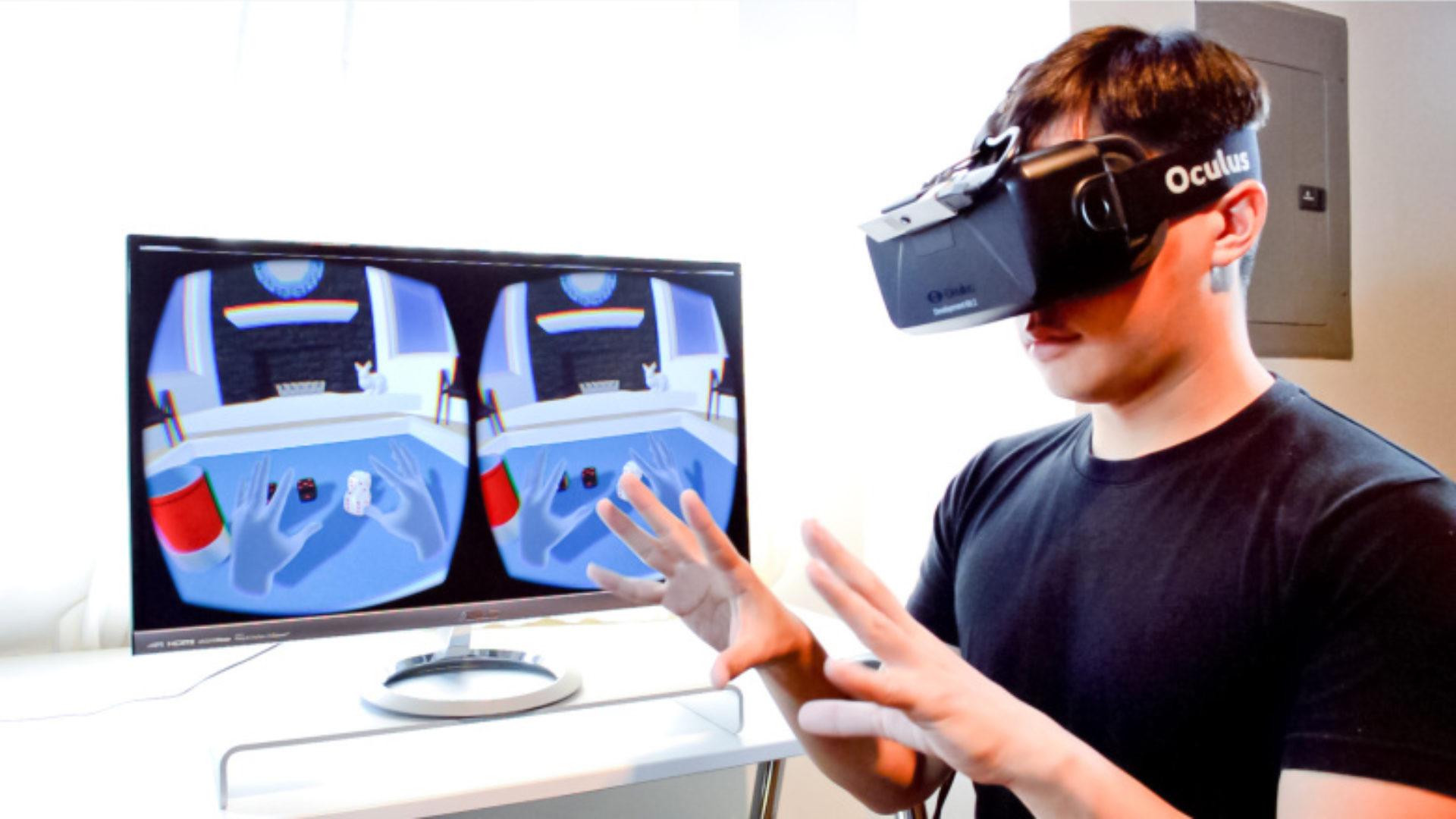
VR headsets with augmented reality (AR) are no longer science fiction. By combining full virtual reality with digital overlays on the real world, these devices can:
- turn your living room into a game arena,
- bring history lessons to life in 3D, and
- help surgeons, engineers, and designers practice complex tasks safely.
In this guide, you will learn:
- what VR and AR actually are,
- how VR headsets deliver AR (often called mixed reality),
- the most important use cases today, and
- what to look for when choosing a VR headset with AR.
Credit: www.blippar.com
What Are VR, AR, and Mixed Reality?
Before you buy anything, it helps to understand the basic terms.
Virtual Reality (VR)
Virtual reality completely replaces your view of the real world with a digital environment. You wear a headset that:
- blocks your normal vision,
- tracks your head and hand movements, and
- shows you a 3D scene that updates as you move.
Great for: fully immersive games, virtual worlds, 360° videos, and simulations.
Augmented Reality (AR)
Augmented reality keeps the real world in view and adds digital elements on top of it, such as:
- 3D models,
- navigation arrows,
- labels and stats.
AR can appear on:
- phone and tablet screens,
- see‑through smart glasses, or
- VR headsets using passthrough cameras.
Mixed Reality (MR)
Mixed reality is when digital content appears to “live” in your real space. You can:
- walk around virtual objects,
- place screens or panels on your walls,
- interact with 3D content anchored to your desk or floor.
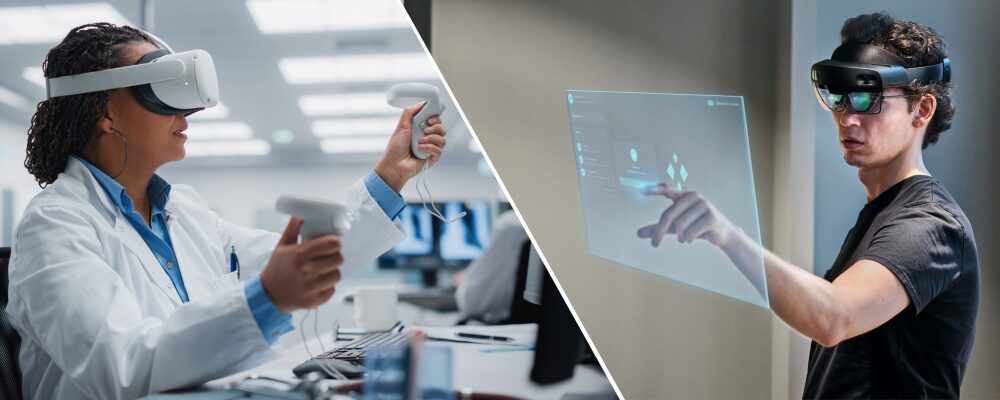
Most “VR headsets with AR” today are actually MR devices that use cameras to show you the real world and then overlay virtual content onto it.
For a more formal definition and history of virtual reality, you can also see this overview from **Encyclopedia Britannica**.
How VR Headsets Deliver Augmented Reality
Modern VR headsets use two main approaches to mix real and virtual:
1. Passthrough Cameras
Headsets like Meta Quest 3 or PlayStation VR2 use external cameras to:
- capture the real world in real time,
- show that video feed on the internal displays,
- render 3D objects on top.
Pros
- Works with opaque, fully enclosed headsets
- Good for gaming, mixed‑reality apps, and room‑scale experiences
Cons
- Image quality depends on camera resolution and color accuracy
- A small amount of latency can make text harder to read or cause slight discomfort
2. Optical See‑Through Glasses
Devices like Microsoft HoloLens 2 or some enterprise AR glasses use transparent or semi‑transparent lenses.
- You see the real world directly through the glass
- Virtual content is projected into your view
Pros
- Very natural view of the real environment
- Comfortable for long periods of work
Cons
- Smaller field of view for holograms
- More expensive and usually aimed at enterprise, not consumers
Key Use Cases for VR Headsets With AR
1. Gaming and Entertainment
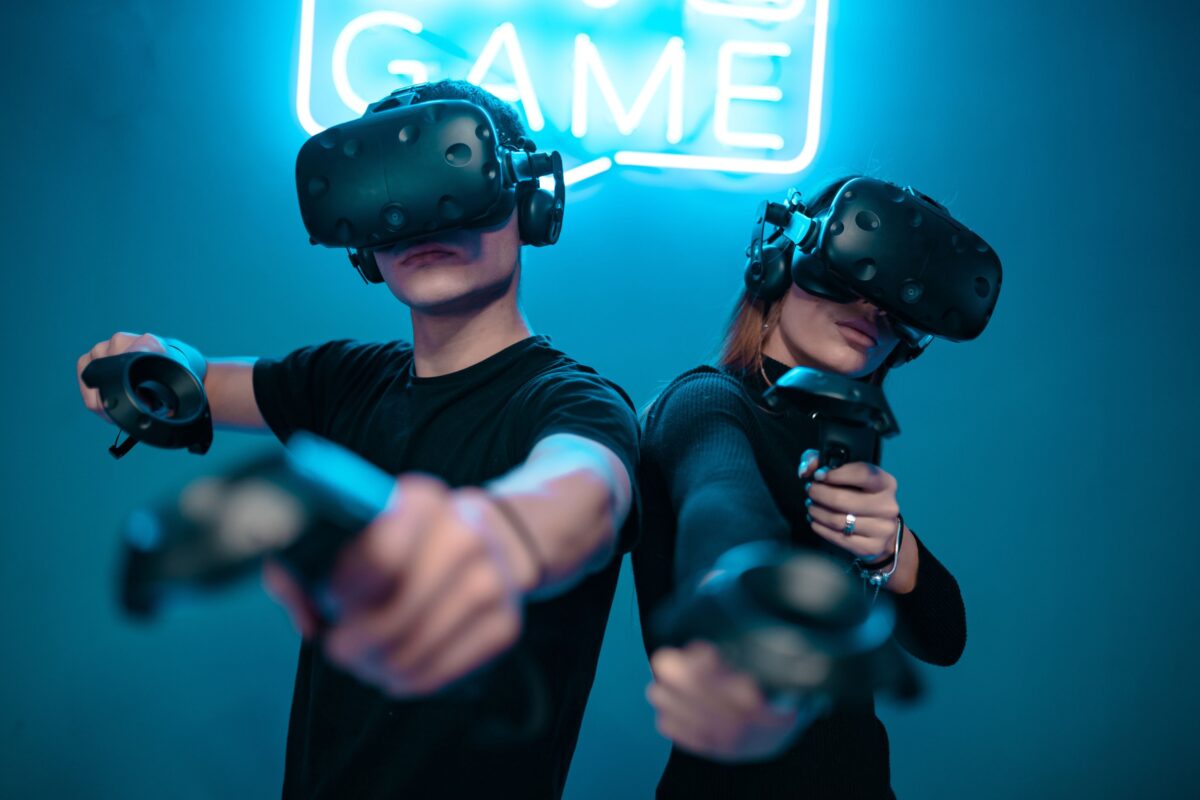
- Mixed‑reality games place enemies, portals, and objects on your walls and floors.
- You can use your furniture as part of the level design.
- Social VR experiences let you see other players’ avatars in your physical room.
Result: gameplay feels less like “watching a screen” and more like living inside the game.
2. Education and Training
- Virtual labs for physics, chemistry, or biology
- Historical reconstructions where students walk through ancient cities
- Language learning with contextual 3D prompts in your room
AR makes abstract concepts concrete and keeps students much more engaged than flat slides.
3. Professional Training and Simulations
- Medical students can practice procedures on virtual patients
- Factory workers can follow step‑by‑step overlay instructions on real machines
- Pilots and drivers can train in realistic simulators with additional AR cues
This reduces risk, cost, and travel compared with traditional training.
4. Design, Architecture, and Real Estate
- Architects can place full‑scale models of buildings in empty lots
- Interior designers can preview furniture and layouts inside real rooms
- Real‑estate tours can overlay information and renovation ideas in place.
Clients understand designs faster when they can walk through them instead of looking at flat plans.
5. Remote Collaboration and Support
- Technicians can see AR instructions overlaid onto equipment while an expert guides them remotely
- Teams can meet inside shared virtual rooms, anchored to someone’s actual office
- 3D models can be examined together from different locations
This makes remote work more visual, interactive, and efficient.
Many creators also combine mixed‑reality experiences with real‑world footage captured on wearable cameras. First‑person video from a helmet or chest‑mounted camera can later be used inside VR experiences or 360° videos. If you are interested in recording high‑quality POV footage for your projects, our guide to the **Best Wearable Cameras** is a great place to start.
Credit: vection-technologies.com
Benefits and Limitations
Main Benefits
- Immersion: Virtual content feels physically present in your space.
- Context: Information appears exactly where you need it (on machines, walls, products).
- Engagement: Games, lessons, and training become far more memorable.
- Safety and cost savings: Risky or expensive tasks can be practiced virtually first.
Current Limitations
- Price: High‑end headsets can be expensive, especially enterprise devices.
- Comfort: Wearing a headset for long periods can cause fatigue.
- Field of view: Many AR/MR devices still have a limited area where holograms appear.
- Motion sickness & eye strain: Poorly optimized content or a bad fit can cause discomfort.
- Privacy: Headsets with cameras constantly capture your surroundings; data handling matters.
Knowing both sides will help set realistic expectations and choose the right device.
Main Categories of VR Headsets With AR
1. Standalone Mixed‑Reality Headsets
These run all apps on the headset itself (no PC required).
Examples (conceptually):
- Consumer MR headsets like Meta Quest 3
- High‑end devices like Apple Vision Pro
Good for:
- Home gaming and entertainment
- Casual productivity and media
- Mixed‑reality experiments and indie apps
2. PC and Console VR Headsets With Passthrough
These rely on an external device (gaming PC or console) but include color passthrough cameras.
Examples:
- PlayStation VR2 (when running MR content)
- Certain PC VR headsets with upgraded cameras
Good for:
- High‑fidelity games
- Simulators that use both VR and real‑world controllers
3. Enterprise AR/MR Headsets and Smart Glasses
Heavy focus on work, not gaming.
Examples:
- Microsoft HoloLens 2
- Industrial AR glasses for logistics and field work
Good for:
- Remote assistance
- Training and safety procedures
- Warehousing, maintenance, and manufacturing
When writing your article, you can link from here to more specific headset reviews on your site.
Key Players and Example VR Headsets With Augmented Reality
Several companies are driving the development of VR headsets with augmented reality and mixed‑reality features. Here are some of the most important platforms and example devices (as of 2024):
| Company / Platform | Example Headset | Type | AR / MR Approach | Best Known For |
| Meta | Quest 3 / Quest Pro | Standalone mixed‑reality VR | Color passthrough cameras | Consumer MR gaming, fitness, and social experiences |
| Sony | PlayStation VR2 | Console VR with MR features | Passthrough for mixed‑reality apps | High‑end VR gaming on PlayStation 5 |
| Apple | Vision Pro | Premium standalone MR | High‑resolution color passthrough | “Spatial computing” for work, media, and productivity |
| Microsoft | HoloLens 2 | Enterprise AR / MR headset | Optical see‑through waveguide displays | Industrial training, remote assistance, and field work |
| HTC | Vive XR Elite | PC/standalone mixed‑reality | Passthrough cameras and room‑scale MR | PC VR and enterprise‑focused mixed‑reality solutions |
| Magic Leap | Magic Leap 2 | Enterprise AR headset | Optical see‑through, spatial mapping | Specialized AR applications in healthcare and industry |
Consumer devices like Quest 3, PlayStation VR2, or Vision Pro focus more on games, media, and everyday use. Enterprise‑focused headsets such as HoloLens 2 and Magic Leap 2 prioritize training, industrial workflows, and remote collaboration.
Microsoft shares more details on how HoloLens is used in real industrial and medical projects in its official **HoloLens documentation**.
How to Choose a VR Headset With AR (Buying Guide)
When deciding which headset to buy, consider:
- Primary Use Case
- Gaming and entertainment
- Education and training
- Work / professional applications
- Type of Device
- Standalone (no PC / console)
- PC or console‑powered
- Enterprise smart glasses
- Passthrough Quality
- Color vs black‑and‑white
- Resolution and clarity for reading text
- Latency and alignment of virtual objects
- Comfort & Fit
- Weight and balance on the head
- Padding on straps and facial interface
- Glasses‑friendly design if you wear prescription lenses
- Controllers and Hand Tracking
- Are motion controllers included?
- Does it support hand or eye tracking?
- Content Ecosystem
- App store size and quality
- Availability of mixed‑reality titles in your region
- Developer support for the platform
- Budget
- Not just headset price – also consider extra accessories, subscription services, and PC/console requirements.
Credit: www.xmreality.com
Practical Tips for First‑Time Users
- Set up a safe play area: Use built‑in guardian/boundary tools to mark obstacles.
- Start with short sessions: Let your eyes and balance system adapt before doing long marathons.
- Adjust fit carefully: A small change in strap tension or IPD (interpupillary distance) can reduce blur and discomfort.
- Keep lenses clean: Smudges reduce clarity and can cause eye strain. Use a microfiber cloth only.
- Take breaks: Every 20–30 minutes, look at something far away and remove the headset for a few minutes.
In practice, these small habits can dramatically improve comfort and enjoyment.
Most standalone headsets also use Bluetooth to pair their controllers, keyboards, and other accessories. If you want a deeper look at how Bluetooth works behind the scenes, check out our guide to **Bluetooth Technology**.
For truly immersive experiences, audio is just as important as visuals. Many people like to pair their VR headset with dedicated studio headphones instead of relying only on the built‑in speakers. If you care about detailed, accurate sound for games and virtual concerts, take a look at our guide to the **Best Studio Headphones**, which also work great with most modern VR headsets.
Future Trends for VR Headsets With AR
Over the next few years, expect:
- Higher‑resolution passthrough cameras that make text legible and colors more natural.
- Thinner and lighter headsets, closer to large glasses than bulky helmets.
- Better hand and eye tracking for natural interaction without controllers.
- More mixed‑reality games and tools that treat your whole home or office as a canvas.
- Deeper integration with work tools like 3D design software, remote desktop apps, and collaboration platforms.
- More health, fitness, and rehabilitation apps that combine movement tracking with guided programs at home.
Some VR fitness and rehabilitation programs also work alongside wearables and sleep trackers to monitor recovery, stress, and overall health. To learn how modern devices track your rest and recovery, see our in‑depth guide to the **Best Sleep Trackers**.
As hardware improves and prices slowly fall, VR headsets with AR capabilities will likely move from “cool gadgets” to mainstream tools. This shift will affect gaming, education, and many kinds of work.
FAQ: VR Headsets With Augmented Reality
Which VR headsets support AR or mixed reality?
Many modern VR headsets now include color passthrough cameras or transparent lenses to support AR/MR features. Examples include consumer mixed‑reality headsets, some PC/console VR headsets with passthrough, and enterprise devices like HoloLens‑style smart glasses.
Can AR and VR be used together?
Yes. Mixed reality experiences combine aspects of both:
- You see your real room through cameras or transparent lenses,
- and virtual objects are layered on top and anchored to your environment.
Are VR headsets with AR good for education?
They can be excellent for education when content is designed well. Interactive 3D models, virtual field trips, and simulations make complex subjects easier to understand and more engaging than traditional slides or textbooks.
Do I need a powerful PC for a VR headset with AR?
It depends on the device.
- Standalone mixed‑reality headsets have built‑in processors and do not require a PC.
- PC‑powered headsets need a capable gaming PC.
- Enterprise AR glasses may connect to PCs, phones, or dedicated compute packs.
Check the manufacturer’s minimum specs before buying.
Conclusion
Overall, VR headsets with augmented reality are at the heart of the next wave of immersive technology. By blending digital content with our physical spaces, they:
- make games more interactive,
- help students and professionals learn faster, and
- unlock new ways to design, collaborate, and solve problems.
If you choose a device that fits your needs, budget, and comfort, a VR headset with AR features can transform the way you play, study, and work. The hardware is still evolving, but the potential is already clear – the future of immersive tech will be mixed reality.

A passionate tech blogger and the founder of Best Tech View, a dynamic platform dedicated to all things technology. With a keen interest in the tech, Ahmad strives to provide insightful and engaging content on the latest tech trends, and breakthroughs.