
Bluetooth Technology powers a huge part of our wireless world. From earbuds and smartwatches to cars, smart homes, and medical devices, Bluetooth quietly connects billions of products every day.
Modern Bluetooth is faster, more efficient, and more flexible than the early versions most people remember. Features like Bluetooth Low Energy (BLE), LE Audio, and Auracast are changing how devices share data and sound.
This guide explains:
- what Bluetooth Technology is and how it works,
- how it has evolved over time,
- where it is used today, and
- what to expect from future Bluetooth generations.
What Is Bluetooth Technology?
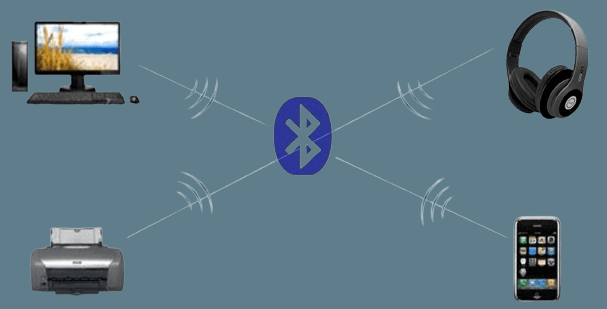
Bluetooth is a short‑range wireless communication technology. In simple terms, it lets devices exchange data over low‑power radio in the 2.4 GHz band without cables.
You see it in:
- smartphones, tablets, and laptops
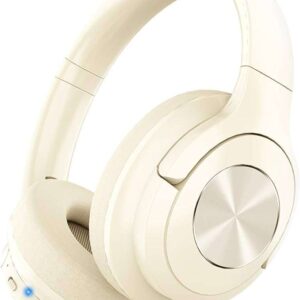
- headphones, earbuds, and speakers
- smartwatches and fitness trackers
- car infotainment systems
- smart home gadgets and IoT sensors
- medical and industrial equipment
Bluetooth is optimized for:
- low energy usage,
- simple pairing, and
- compatibility across many brands and operating systems.
For a formal overview of the standard and its history, the official Bluetooth SIG website provides detailed technical and marketing information about Bluetooth Technology.
A Brief History and Key Versions
Historically, Bluetooth was created in the 1990s at Ericsson as a way to replace short serial cables. The name, however, comes from King Harald “Bluetooth” Gormsson of Denmark, who united tribes in the 10th century. The technology was meant to unite devices in a similar way.
Important milestones:
- Late 1990s: Bluetooth 1.0 / 1.1 – basic wireless links and early headsets
- 2004: Bluetooth 2.0 + EDR – faster data rates and better efficiency
- 2009: Bluetooth 3.0 + HS – attempted high‑speed transfer via Wi‑Fi links
- 2010: Bluetooth 4.0 – introduced Bluetooth Low Energy (BLE) for wearables and IoT
- 2014: Bluetooth 4.2 – improved privacy, packet size, and IP connectivity
- 2016: Bluetooth 5.0 – more range and speed for BLE, improved broadcasting
- 2019: Bluetooth 5.1 / 5.2 / 5.3 / 5.4 – direction finding, LE Audio, Auracast, better tools for mesh and IoT
- 2021–2023: Bluetooth 5.2–5.4 – LE Audio, Auracast™, better IoT tools.
- 2024–2025: Bluetooth 6.0 – precise positioning and smarter audio.
Standards groups are already working on the next generation of specifications, often referred to informally as “Bluetooth 6”. These future versions are expected to focus on:
- more precise location and positioning,
- better power efficiency for huge fleets of IoT devices, and
- smarter audio features layered on top of LE Audio.
Bluetooth Classic vs Bluetooth Low Energy (BLE)
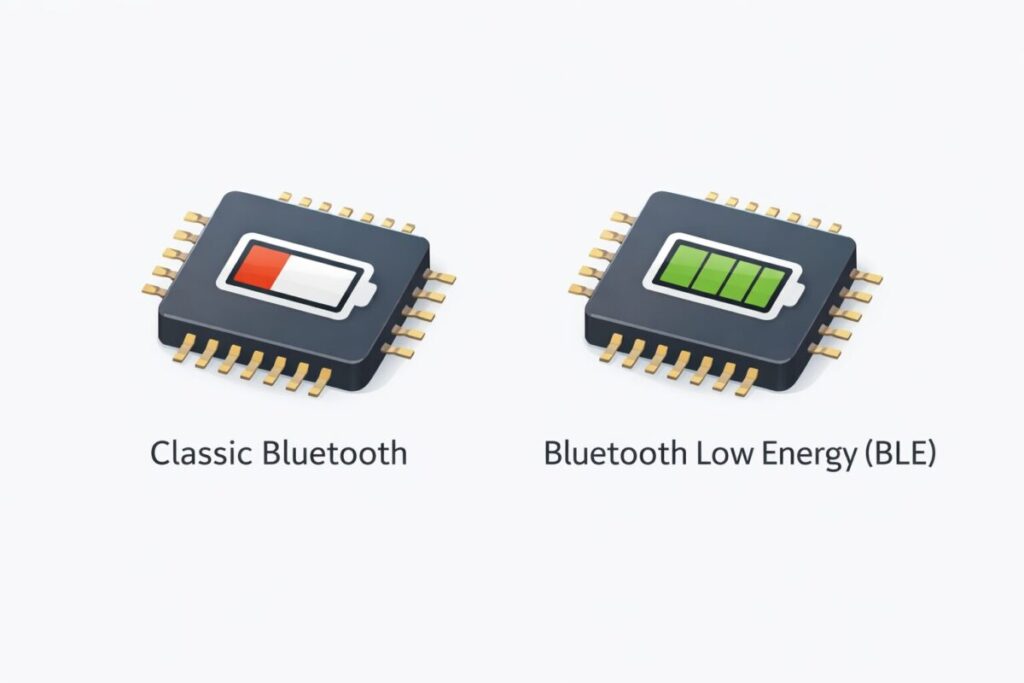
Today, there are two major “flavors” of Bluetooth.
Bluetooth Classic
- The original form of Bluetooth
- Optimized for continuous data streams
- Used for:
- wireless audio (older headsets and speakers)
- car hands‑free systems
- some game controllers and legacy devices
- Draws more power than BLE, so it is less ideal for tiny sensors
Bluetooth Low Energy (BLE)
Introduced with Bluetooth 4.0, BLE is designed for very low‑power operation.
- Sends short bursts of data and sleeps most of the time
- Allows devices like:
- fitness bands, smartwatches
- beacons and trackers
- health and industrial sensors
to run for months or years on small batteries
- Uses a different protocol stack but can coexist with Classic on the same chip
Many chips and devices support both Classic and BLE, using whichever mode fits the application.
How Bluetooth Works (Simple Overview)
You do not need to be an engineer to understand the basics.
- Discovery and Pairing
- One device advertises its presence
- Another scan, and finds it
- They perform a pairing process and exchange encryption keys
- Profiles and Services
- Bluetooth uses standardized “profiles” to describe what devices can do
- Examples:
- A2DP for stereo audio
- HFP for hands‑free calling
- HID for keyboards and mice
- GATT services for BLE sensors
- As long as two devices support the same profile, they can usually talk to each other
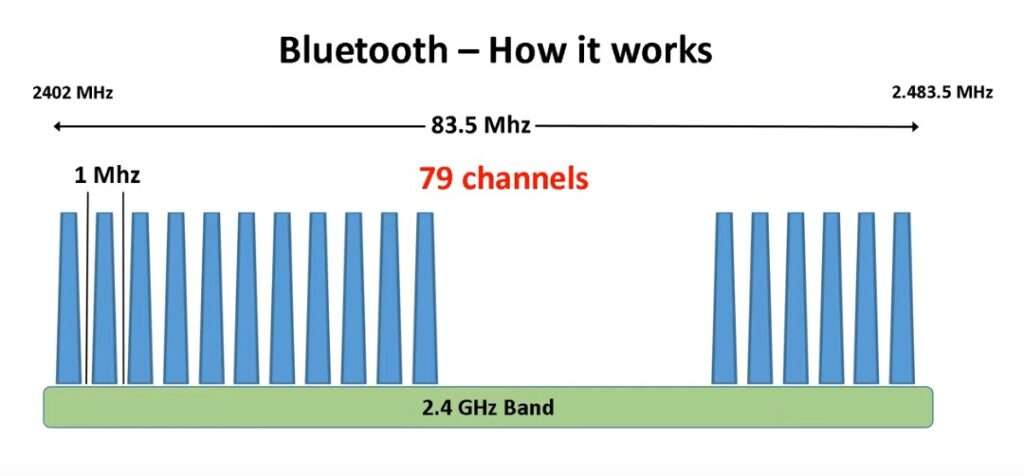
- Frequency Hopping
- Bluetooth does not stay on one frequency
- It rapidly hops between many channels in the 2.4 GHz band
- This helps avoid interference from Wi‑Fi and other devices
- Short‑Range, Low Power
- Typical range: 10–30 meters indoors (more under ideal conditions)
- Power classes allow some devices to go farther at the cost of higher energy use
Key Advantages of Bluetooth Technology
Wireless Convenience
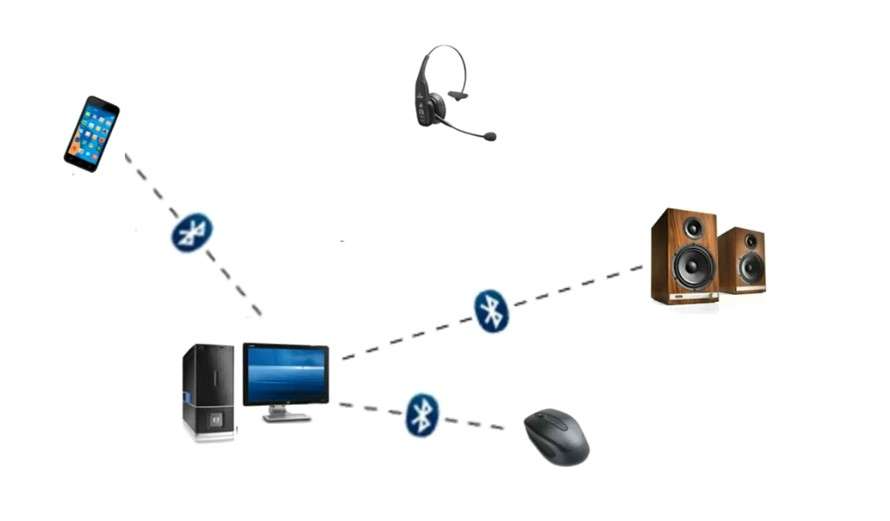
Bluetooth eliminates the need for physical cables in many everyday situations:
- headphones and earbuds without wires
- wireless game controllers
- keyboards and mice that keep desks clean
- hands‑free phone calls in the car
Low Energy Consumption
Compared with Wi‑Fi, Bluetooth is designed to be very energy efficient, especially in BLE mode. This is crucial for wearables and IoT devices that must:
- run on small batteries,
- send small amounts of data, and
- operate reliably for months or years.
Interoperability
As a result, the Bluetooth SIG’s standard profiles and testing mean products from many brands can work together.:
- a phone from one vendor
- earbuds from another
- smart bulbs from yet another
As long as they follow the spec, they can usually pair and communicate.
Security and Privacy
Bluetooth security has improved over time:
- Encryption and authentication protect data in transit
- Newer pairing methods (numeric comparison, passkeys) reduce man‑in‑the‑middle risk
- BLE privacy features make passive tracking harder by randomizing device addresses
However, very old devices and unpatched firmware can still be vulnerable, which is why updates matter.
Real‑World Applications of Bluetooth
1. Wireless Audio Streaming
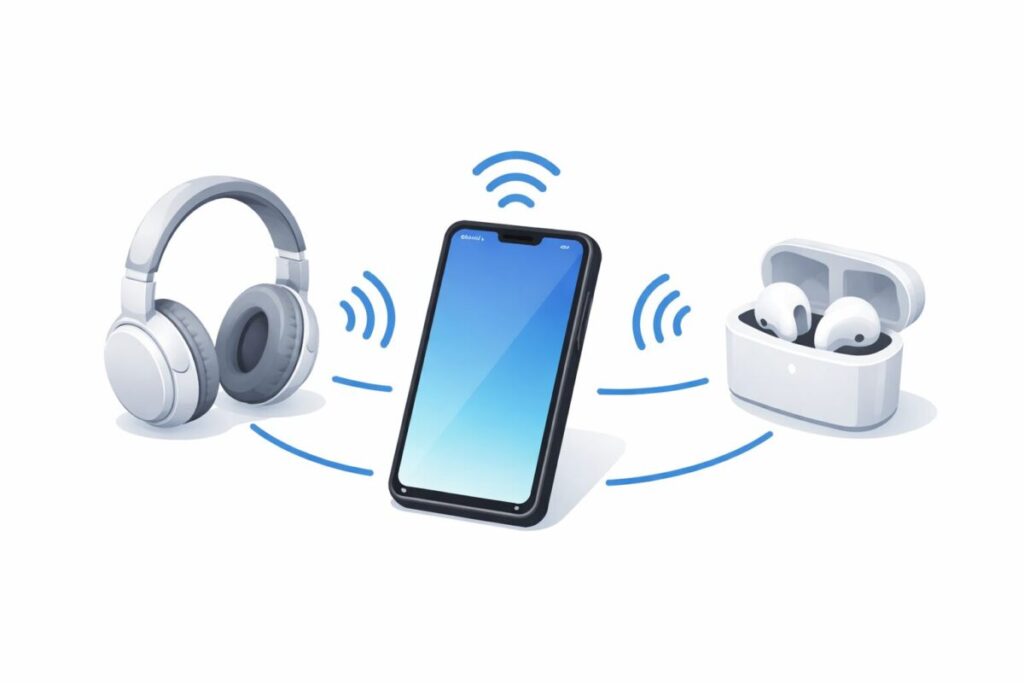
Probably the most familiar use:
- headphones and earbuds
- portable speakers
- car stereos and soundbars
- home theater surround adapters
If you want help choosing headphones that really take advantage of Bluetooth audio, our guide to the Best Wireless Headphones compares the top options for music, calls, and daily use.
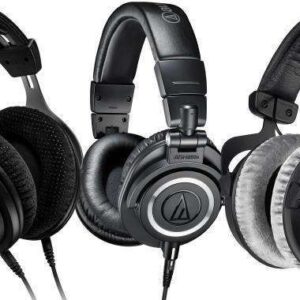
For studio work such as mixing, recording, and podcasting, you may want something more neutral and robust than everyday earbuds. Our Best Studio Headphones guide focuses on models trusted by engineers and creators.
Bluetooth audio lets you play music, podcasts, and calls without messy cables, from virtually any modern phone or laptop.
2. Peripheral Devices and Input
Bluetooth replaced many wired USB devices:
- keyboards and mice
- game controllers
- drawing tablets and presentation remotes
- printers and scanners (for status and simple transfers)
This reduces cable clutter and makes it easier to move around workspaces.
3. Smart Home and IoT
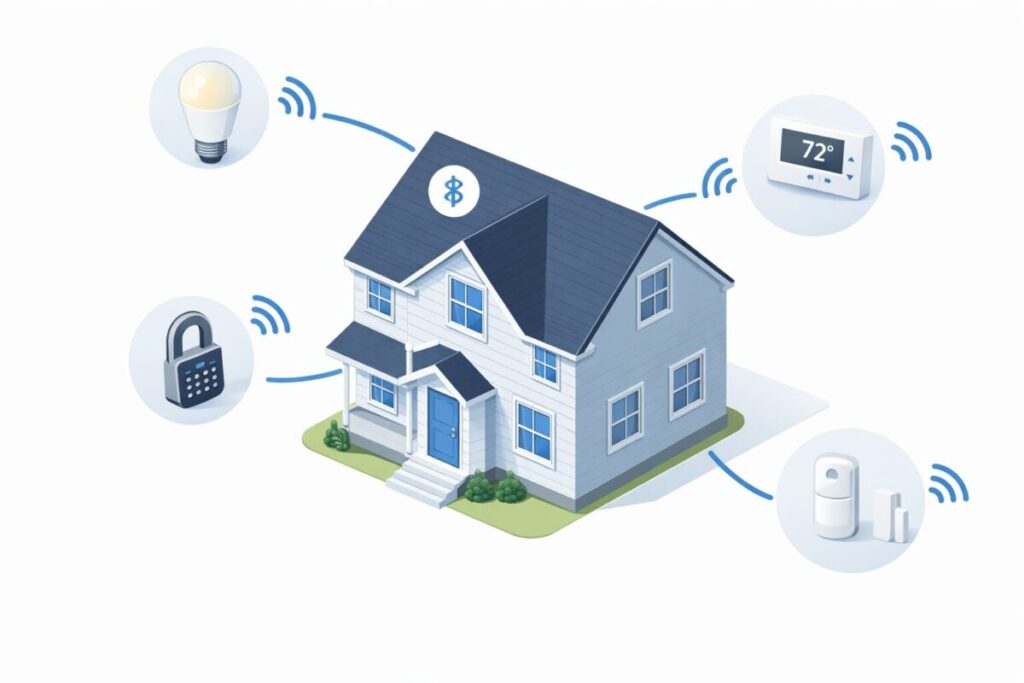
Bluetooth plays a large role in smart homes:
- smart bulbs and lamps (often with Bluetooth Mesh)
- smart locks and door sensors
- thermostats and HVAC controllers
- motion sensors and occupancy detectors
Buildings can use Bluetooth Mesh to create large, resilient networks of devices. These networks can cover entire floors or even whole complexes.
4. Health and Fitness
Bluetooth is deeply integrated into the health and wellness ecosystem:
- fitness bands and smartwatches tracking steps, heart rate, and sleep
- chest strap heart rate monitors
- blood pressure and glucose monitors
- hearing aids and sound processors, streaming calls and audio
If you are interested in devices that use Bluetooth to monitor sleep and recovery, our Best Sleep Trackers roundup compares the most popular wearable and non‑wearable options.
Data can be viewed in apps and, with user consent, shared with healthcare providers.
5. Automotive
In cars, Bluetooth is used for:
- hands‑free calling and messaging
- music and podcast playback from phones
- some diagnostic links and telematics
- keyless entry or presence detection in newer systems
LE Audio and Auracast: The Next Generation of Bluetooth Sound
Traditional Bluetooth audio was built around the SBC codec and optional vendor codecs like aptX and AAC. LE Audio is a major redesign that runs on top of BLE.
LC3 Codec and Efficiency
LE Audio uses a new codec called LC3:
- Better audio quality than SBC at the same or lower bitrates
- More efficient use of radio bandwidth
- Improved battery life for earbuds and hearing aids
Multistream and Shared Audio
LE Audio also enables:
- Multistream audio – multiple synchronized audio streams between one source and one or more sinks (useful for true wireless earbuds and advanced setups)
- Broadcast audio (Auracast) – a transmitter can send audio to many nearby receivers at once. Examples:
- airports and train stations broadcasting announcements
- gyms and bars sending TV audio to users’ earbuds
- assistive listening in theaters, churches, and schools
If you want to dig deeper into how LE Audio and the LC3 codec work, the official Bluetooth LE Audio overview from the Bluetooth SIG is an excellent technical resource.
As more devices adopt LE Audio and Auracast, shared audio experiences will become much more common.
Bluetooth, IoT, and Mesh Networking
Bluetooth is a key player in the Internet of Things (IoT):
- BLE beacons provide location‑based information in malls, museums, and airports
- Smart buildings use Bluetooth Mesh for lighting, occupancy tracking, and environmental sensors
- Logistic centers track pallets, assets, and equipment with BLE tags
- Industrial sensors monitor machinery health and send status to gateways
Bluetooth’s combination of low power, global availability of the 2.4 GHz band, and mature ecosystem makes it attractive for many IoT deployments.
Competing Technologies and Where Bluetooth Fits
Bluetooth is not the only short‑range wireless technology.
- Wi‑Fi:
- Higher throughput and longer range
- Better for streaming large files, video and full internet access
- Consumes more power than BLE
- UWB (Ultra‑Wideband):
- Extremely precise distance and direction measurements
- Used in some premium phones and trackers
- More expensive and power‑hungry; best for niche high‑accuracy use cases
- NFC (Near Field Communication):
- Very short range (a few centimeters)
- Great for tap‑to‑pay and pairing, not for continuous data
Bluetooth’s sweet spot is low‑ to medium‑bandwidth connections over short ranges, with low power usage and broad compatibility. That niche is not going away anytime soon.
Future Trends in Bluetooth Technology
Looking ahead, you can expect:
- Wider adoption of LE Audio and Auracast – more earbuds, TVs, public venues, and hearing aids will support shared and broadcast audio.
- Better indoor positioning – direction‑finding and ranging will enable more accurate location inside buildings using Bluetooth beacons.
- Larger mesh and IoT networks – smart homes, offices, and cities will deploy more Bluetooth sensors and actuators.
- Deeper integration with 5G and edge computing – phones and gateways will bridge Bluetooth devices to the cloud and 5G services for real‑time analytics.
Exact version numbers and dates will change, but the direction is clear: more devices, more efficiency, and smarter audio and positioning features built on top of the core Bluetooth standard.
Many of these improvements will show up first in AR, VR, and mixed‑reality devices that depend on fast, low‑power wireless links. If you are exploring headsets for immersive work or entertainment, check out our guide to the Best VR Headsets.
Practical Tips for Everyday Users
A few simple habits can make Bluetooth more reliable and secure.
- Keep firmware updated
- Use companion apps to update earbuds, watches, and other accessories.
- Updates often improve connection stability, battery life, and security.
- Choose the right audio codec
- On compatible phones, enabling AAC, aptX, or LDAC can improve sound over basic SBC.
- Some codecs trade quality for range or battery life; experiment to see what works for you.
- Manage interference
- In crowded Wi‑Fi environments, use 5 GHz Wi‑Fi for routers when possible.
- Avoid placing routers directly next to Bluetooth devices.
- Clean up old pairings
- Remove devices you no longer use to reduce connection confusion and potential security risks.
- Use secure pairing methods
- Avoid pairing in public places when possible.
- Confirm codes or prompts when pairing to new devices.
FAQ: Bluetooth Technology
What is Bluetooth Technology?
Bluetooth technology is a short‑range wireless communication system that lets devices connect and exchange data using low‑power radio waves. It is commonly used for hands‑free calling, music streaming, file transfer, and connecting peripherals.
What are the main features of Bluetooth?
Key features include:
- Wireless connectivity over short distances
- Low energy consumption (especially with BLE)
- Compatibility across many device types and brands
- Standardized profiles for audio, input, data, and more
- Reasonable security when devices and firmware are kept up to date
How far can Bluetooth reach?
Range depends on device class, antenna, and environment. Many consumer devices work reliably within about 10 meters (30 feet) indoors. Some long‑range or outdoor applications can go much farther under ideal conditions.
Is Bluetooth safe?
When implemented correctly and kept updated, Bluetooth offers encryption and authentication that make casual eavesdropping difficult. However, older devices and unpatched firmware can have vulnerabilities, so it is wise to:
- install updates,
- remove unknown pairings, and
- only pair with devices you trust.
Conclusion
Bluetooth Technology has come a long way from its origins as a simple cable replacement in the 1990s. Today it:
- connects audio gear, wearables, and vehicles,
- powers smart homes and industrial IoT networks, and
- enables new features like LE Audio and Auracast shared listening.
As future Bluetooth generations arrive, you can expect more efficient devices, richer audio experiences, and smarter positioning — all while keeping the familiar convenience of low‑power, short‑range wireless connections.
Bluetooth is no longer just a convenience; it is a core building block of how we live, work, and interact with the digital world every day.

A passionate tech blogger and the founder of Best Tech View, a dynamic platform dedicated to all things technology. With a keen interest in the tech, Ahmad strives to provide insightful and engaging content on the latest tech trends, and breakthroughs.