
If you’re trying to choose the best VR headsets in 2026, it can feel overwhelming. Virtual reality is no longer a niche hobby. Standalone headsets such as Meta Quest 3 are now very capable devices.
Console options like PlayStation VR2 push visual quality and immersion on the couch. On the PC side, headsets such as Valve Index and HTC Vive Pro 2 deliver sharper visuals, smoother tracking, and more freedom than ever.
Whether you want:
- console gaming,
- a budget‑friendly standalone device,
- or a high‑end PC headset,
the right choice depends on how you plan to use VR, your budget, and how much space and PC power you have.
This simple guide cuts through the noise. You’ll see:
- the main types of VR headsets,
- the key features that actually matter, and
- top picks by use‑case (gaming, work, fitness, media).
What Is a VR Headset?
A VR headset is a wearable display that covers your eyes and shows you a 3D world. Sensors and cameras track your head (and often your hands), so when you move, the virtual world moves with you.
VR is used for:
- gaming,
- fitness and rhythm workouts,
- virtual meetings and productivity,
- education and training, and
- creative work like 3D art and design.
At a basic level, a VR headset works by:
- rendering separate images for each eye to create depth,
- tracking your head and controllers in 3D space, and
- updating the scene in real time, ideally 90+ times per second.
When it all lines up well – visuals, tracking, and audio – your brain feels as if you are inside that virtual environment.
A Very Short History of Modern VR Headsets
Consumer VR has been around in some form for decades, but modern VR really took off in the last ten years:
- 2012–2013: The original Oculus Rift Kickstarter proves that head‑tracked VR can work at home.
- 2016: The first big consumer wave arrives with HTC Vive and the original PlayStation VR, bringing room‑scale tracking and console VR.
- 2019–2020: Standalone headsets like Oculus Quest and Quest 2 cut the cord and make wireless VR mainstream.
- 2023–2024: Devices such as PlayStation VR2, Valve Index, and Meta Quest 3 push higher resolution, better tracking, and mixed‑reality passthrough into the mainstream.
Today’s headsets are lighter, sharper, and far more affordable than early models, which is why VR is finally a realistic option for gaming, work, fitness, and more.
Main Types of VR Headsets
1. Standalone Headsets
All‑in‑one devices with built‑in processors, storage, and tracking.
Pros
- No PC or console required
- Wireless and portable
- Easiest setup for most users
Examples (as of 2024)
- Meta Quest 3
- Meta Quest 2 (older but still widely used)
- Pico 4 (availability varies by region)
Best for: most people starting VR, casual gaming, fitness, and media.
2. PC‑Powered (Tethered) Headsets
Connect to a VR‑ready gaming PC via cable (or high‑quality wireless streaming).
Pros
- Highest visual quality
- More demanding games and sims
- Flexible mods and PC ecosystems
Examples
- Valve Index
- HTC Vive Pro 2
- HP Reverb G2
- Pimax Crystal / wide‑FOV headsets
Best for: sim racers, flight sim enthusiasts, graphics nerds, and people who already own a powerful PC.
3. Console VR Headsets
Require a game console but no PC.
Examples
- PlayStation VR2 (PS5 only)
Pros:
- Highly optimized performance
- Strong exclusive games library
Best for: PlayStation gamers who want top‑tier VR without dealing with PC hardware.
4. Smartphone‑Based Viewers (Mostly Legacy)
Cardboard‑style viewers and Gear VR‑type headsets used to be common. Today, they are largely obsolete:
- Limited tracking
- Outdated apps and hardware support
They can still be useful for very basic VR demos in classrooms, but not recommended as a main headset in 2026.
If you are more interested in headsets that blend VR with real‑world overlays, take a look at our guide to VR Headsets With Augmented Reality, which focuses on mixed‑reality devices and use cases.
Key Features That Actually Matter
Display Resolution and Refresh Rate
Higher resolution = sharper text and less “screen‑door” effect.
Higher refresh rate = smoother motion and less motion sickness.
Typical numbers (per eye):
- Meta Quest 3: 2,064 × 2,208 @ up to 120 Hz
- PlayStation VR2: 2,000 × 2,040 (OLED) @ 90–120 Hz
- Valve Index: 1,440 × 1,600 @ 80–144 Hz
- HTC Vive Pro 2: 2,448 × 2,448 @ up to 120 Hz
For most users:
- 90 Hz is fine
- 120 Hz feels very smooth
- Higher than that mainly benefits fast competitive titles
Field of View (FOV)
FOV controls how much of the virtual world you see at once.
- 90–110°: common on many headsets
- 110–120°: feels more immersive
- 120°+: available on some high‑end PC headsets or wide‑FOV devices
A wider FOV reduces “tunnel vision” and helps immersion, especially in sim and action games.
Tracking Systems
How the headset knows where your head and hands are.
- Inside‑out tracking
- Cameras on the headset track your environment, and controllers
- No external sensors needed
- Examples: Meta Quest 3, PS VR2, HP Reverb G2
- Outside‑in tracking
- External base stations (“lighthouses”) track the headset and controllers
- More setup, but extremely precise
- Examples: Valve Index, HTC Vive Pro 2
For most people, inside‑out is easier and good enough.
For high‑end PC sims and esports, Valve Index + base stations can still be worth the effort.
Controllers and Haptics
VR controllers are how you touch the virtual world.
Look for:
- Accurate tracking (no big drift or jitter)
- Haptic feedback (vibration, sometimes more advanced effects)
- Ergonomics: fits your hand well for long sessions
Examples:
- Meta Touch controllers – solid all‑rounders, now without big tracking rings on Quest 3
- PS VR2 Sense controllers – adaptive triggers + good haptics
- Valve “Knuckles” controllers – strap to your hands so you can fully let go without dropping them, great for natural grabbing
Most headsets also rely on short‑range wireless links, such as Bluetooth, to connect controllers, keyboards and other accessories. If you want to understand how that wireless layer works, our Bluetooth Technology explainer breaks it down in detail.
Comfort and Fit
You may wear your headset for 1–2+ hours at a time. Comfort matters more than raw specs.
Pay attention to:
- Head strap design (halo strap vs soft strap)
- Weight and front/back balance
- Padding on the face and the rear of the head
- Glasses compatibility/prescription lens insert options
If possible, try a demo or at least read multiple comfort‑focused reviews; a headset that hurts after 20 minutes is not “best” no matter the resolution.
Content Ecosystem
A great headset with no good games or apps is useless.
- SteamVR (PC):
- 6,000+ titles, including Half‑Life: Alyx, sim favorites, mods, and indies
- Meta Quest Store (standalone):
- Hundreds of curated apps, including Beat Saber, Supernatural, Asgard’s Wrath 2, and Walkabout Mini Golf
- PlayStation Store (PS VR2):
- Exclusives like Horizon Call of the Mountain, Gran Turismo 7 VR
- Apple visionOS ecosystem:
- Early stage but focused on productivity/media rather than mainstream gaming (as of late 2024)
Check which platforms each headset supports, and which games/apps you actually care about.
Wireless vs Wired: What’s Better?
In simple terms, wireless means freedom; wired means fidelity.
- A wired connection (DisplayPort/USB‑C or console cable) still gives the most stable picture and the lowest, most predictable latency. It is the safest choice for competitive games, fast shooters, and long PC sessions.
- Wireless PC streaming (such as Link/Air Link or SteamVR streaming over Wi‑Fi) adds some compression and depends on your home network. With a modern Wi‑Fi 6 or 6E router placed near your play area, latency can still be low enough for most people to enjoy action games comfortably.
For casual play and fitness, many users prefer the freedom of wireless.
For the most demanding titles and the cleanest image, a wired link is still the gold standard.
Quick Feature Checklist
| Feature | What to Look For |
| Display resolution | High resolution per eye, such as 2,064 × 2,208 (Quest 3) or 2,448 × 2,448 (Vive Pro 2), for sharp text and details. |
| Refresh rate | 90 Hz minimum; 120 Hz ideal for smooth motion; higher rates (up to 144 Hz) help in fast, competitive games. |
| Field of view (FOV) | Around 90–110 degrees is standard; 110–120 degrees or more feels more immersive with less “tunnel vision”. |
| Tracking | Inside‑out (Quest 3, PS VR2) for convenience and easy setup; outside‑in (Valve Index, Vive Pro 2) for maximum accuracy. |
| Controllers | Reliable tracking, haptic feedback, comfortable grip; extras like adaptive triggers and finger tracking are a bonus. |
| Comfort | Adjustable straps, balanced weight, soft padding, and good glasses compatibility for long sessions. |
| Content | Strong library on platforms such as SteamVR, Meta Store, PlayStation Store, or Apple visionOS, depending on your headset. |
Best VR Headsets by Category (Top Picks)
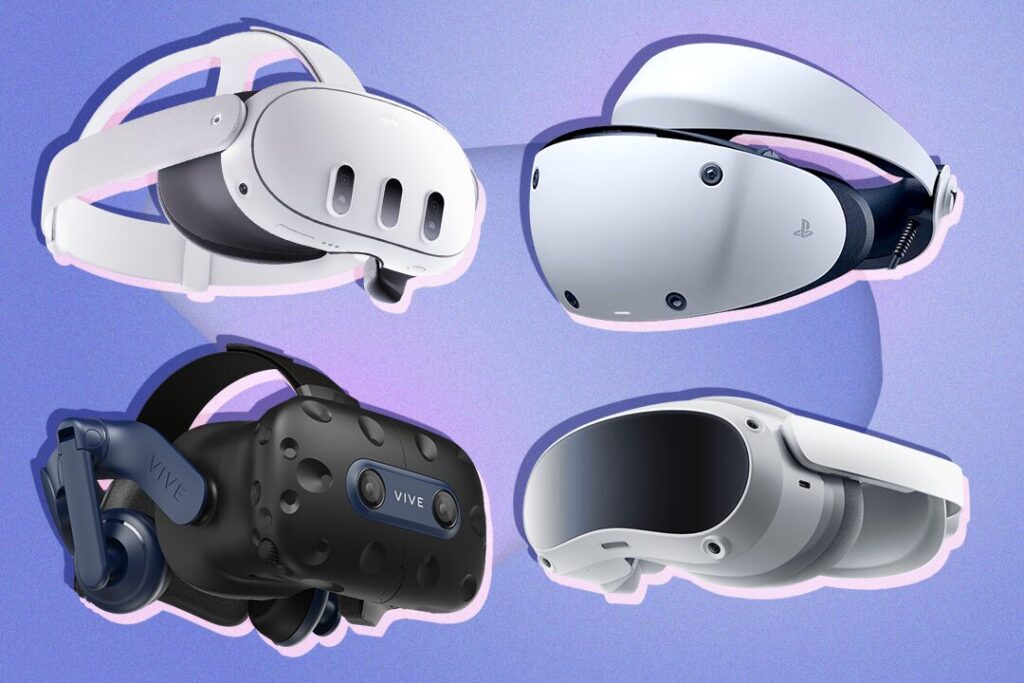
Best Overall Standalone VR Headset – Meta Quest 3
- Type: Standalone, optional PC streaming
- Resolution: 2,064 × 2,208 per eye
- Refresh rate: Up to 120 Hz
- FOV: ~110°
- Price: from about $499
Why it’s great
- No PC required for most games and apps
- Huge library on the Quest Store + optional SteamVR streaming via Link/Air Link
- Color passthrough and mixed‑reality features
- Lightweight and portable
Best for: most beginners and intermediate users who want the most flexibility.
Meta shares full technical details and health guidelines for this headset on the official Meta Quest 3 product page.
Best Console VR Headset – PlayStation VR2
- Type: Tethered to PS5
- Resolution: 2,000 × 2,040 (OLED) per eye
- Refresh rate: 90/120 Hz
- FOV: ~110°
- Price: around $399 (headset only)
Why it’s great
- Eye‑tracking, headset haptics, and a high‑quality OLED panel
- Strong first‑party titles and big AAA VR games
- Highly optimized performance on PS5
Best for: PS5 owners who want premium VR without buying a gaming PC.
Sony’s official PlayStation VR2 page lists current compatible PS5 titles, setup requirements, and safety recommendations.
Best PC VR Headset for Enthusiasts – Valve Index
- Type: PC‑tethered with external base stations
- Resolution: 1,440 × 1,600 per eye
- Refresh rate: 80–144 Hz
- FOV: up to ~130°
- Price: around $999 (full kit)
Why it’s great
- Very smooth motion thanks to high refresh rates
- Excellent tracking accuracy with SteamVR 2.0 base stations
- “Knuckles” controllers with advanced finger tracking
- Comfortable fit with good off‑ear speakers
Best for: PC gamers who care about smoothness, tracking, and mod support more than absolute pixel count.
Best High‑Resolution PC VR – HTC Vive Pro 2
- Type: PC‑tethered, outside‑in tracked
- Resolution: 2,448 × 2,448 per eye
- Refresh rate: up to 120 Hz
- FOV: ~120°
- Price: $799–$899 for the headset (controllers/base stations extra)
Why it’s great
- Very high resolution for cockpit sims, productivity, and detailed visuals
- Compatible with the SteamVR ecosystem and many enterprise apps
- Good for users who already own base stations or want top‑tier clarity
Best for: serious sim racers, flight sim fans, and professional visualization.
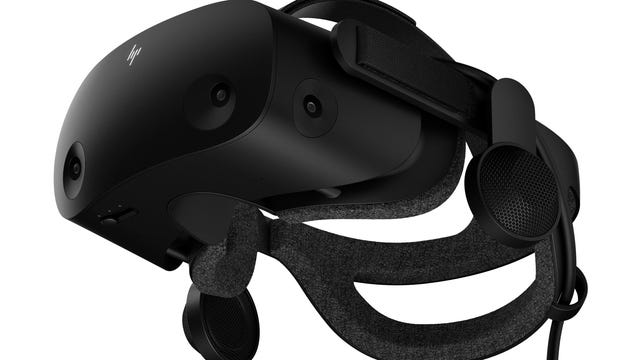
Best Value PC VR – HP Reverb G2 (when available)
- Type: PC‑tethered, inside‑out tracked
- Resolution: 2,160 × 2,160 per eye
- Refresh rate: 90 Hz
- FOV: ~114°
- Price: often around $450 (varies)
Why it’s great
- Very sharp display at a relatively affordable price
- Good for flight/sim and productivity apps where clarity is key
- Inside‑out tracking means no base stations
Best for: PC users who want high resolution but want to avoid full lighthouse setups.
Best VR Headsets by Use‑Case
1. For Gaming Enthusiasts
- Meta Quest 3 – best all‑rounder (standalone + PC streaming)
- PlayStation VR2 – best for PS5 exclusives and cinematic experiences
- Valve Index – best for PC gamers who want smooth, high‑refresh action
2. For Work and Virtual Meetings
- Meta Quest 3 – works well with apps like Immersed, Horizon Workrooms, and Spatial
- High‑end PC headsets (Valve Index, Vive Pro 2) – for design, 3D collaboration, and custom enterprise apps
VR is also used for social spaces and “metaverse”-style platforms, such as VRChat and Horizon Worlds, where people work, play, and attend events in shared virtual worlds.
For long voice calls, virtual meetings, and remote collaboration, the audio you hear matters just as much as the visuals. If you need a reliable pair to use alongside your headset, our Best Studio Headphones guide highlights models that deliver clear, detailed sound for calls and creative work.
3. For Fitness and Exercise
- Meta Quest 3 / Quest 2 – best support for fitness apps like Supernatural, FitXR, Les Mills Bodycombat, Thrill of the Fight.
- Look for:
- good strap/comfort upgrades,
- a face gasket that can handle sweat,
- room space for movement.
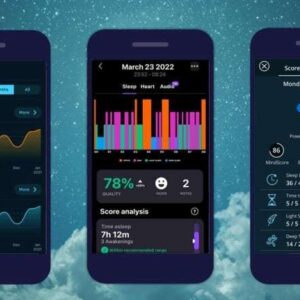
If you are using VR for fitness or general wellness, it also helps to keep an eye on your recovery and sleep. Our Best Sleep Trackers guide breaks down the most popular wearable and non‑wearable options that sync with phones and fitness apps.
4. For Movies and Media
- Quest 3 – for standalone Bigscreen, Netflix/Prime in browser, etc.
- High‑resolution PC headsets – for local 4K media and higher bitrates
- Future: more headsets will adopt micro‑OLED displays for better contrast and HDR‑like experiences.
5. For Kids and Families
- Most manufacturers recommend ages 12–13+.
- Use strict time limits and parental controls.
- Quest 3 can be okay for teenagers with supervision; for younger kids, very short supervised sessions only, if at all.
- For child‑focused guidance, see your kid‑focused VR guide.
Safety, Health, and Comfort Basics
No matter which headset you choose:
- Start with short sessions and increase slowly.
- Take a 5–10 minute break every 20–30 minutes to rest eyes and balance.
- Make sure the headset fits correctly; adjust straps and lens spacing (IPD).
- Clear your play area (minimum 6×6 ft; 10×10 ft is better for room‑scale).
- Follow the manufacturer’s age and health guidelines.
VR is amazing, but it is still a screen very close to your eyes – treat it with respect.
Upcoming and Future VR Headsets to Watch
Several companies are already working on the next generation of VR and mixed‑reality headsets. You can expect:
- lighter designs with pancake lenses,
- higher‑resolution displays and better passthrough,
- more built‑in eye tracking and foveated rendering to improve performance, and
- deeper integration with AI‑powered upscaling and comfort features.
Exact models and release dates change quickly, so it is best to check the latest announcements from Meta, Sony, Apple, HTC and other major players before you buy.
VR Platforms and Ecosystems
When you choose a headset, you are also choosing a content ecosystem:
- Meta Quest / Horizon OS: Standalone store with hundreds of games and apps, plus Horizon Workrooms and Horizon Worlds for social and work use.
- SteamVR (PC): The largest PC VR library, including Half‑Life: Alyx, sim titles and thousands of indies and mods.
- PlayStation VR2 (PS5): Console‑optimized VR with exclusives such as Gran Turismo 7 VR and Horizon Call of the Mountain.
- Apple visionOS: Early ecosystem focused more on media, productivity and spatial apps than on hardcore gaming.
- Pico and other regional platforms: Growing content libraries in specific markets.
Before you buy, check which headsets support the games and apps you actually want to use.
Software and Apps That Make the Most of Your Headset
Standout VR Games
A few must‑try titles show what modern VR can do:
- Half‑Life: Alyx – the benchmark for AAA VR storytelling and design
- Asgard’s Wrath 2 – a huge action RPG with dozens of hours of content
- Beat Saber – the classic rhythm game that keeps expanding with new music packs
Essential Productivity & Creative Tools
- Gravity Sketch – 3D design and sketching in a virtual studio
- Immersed – multiple virtual monitors for remote work
- 3D sculpting tools such as Adobe Substance 3D Modeler for artists
Leading Streaming and Social Platforms
- Bigscreen – watch movies and streams with friends in virtual theaters
- VRChat – massive social world with custom avatars and user‑created worlds
Essential VR Accessories and Add‑Ons
The right accessories can turn a good VR setup into a great one:
- Improved head straps and face cushions – better weight balance and comfort for long sessions.
- Charging docks and battery packs – keep standalone headsets running longer without downtime.
- Prescription lens adapters – let glasses wearers see clearly without fogged lenses or frame pressure.
- External trackers and haptic vests – add full‑body tracking or extra vibration feedback for advanced users.
You do not need all of these on day one, but upgrading comfort and battery life is usually the best first step.
Best Places to Buy VR Headsets
Buying a VR headset is a big purchase, so it’s worth thinking about where you buy it from as well as which model you choose.
Official Brand Stores
Buying directly from the manufacturer has some advantages:
- Latest inventory and SKUs – new models, colors, and storage options usually appear here first.
- Clear warranty and returns – you’re dealing with the company that makes the device, not a third party.
- In‑store demos (for some brands) – Apple Stores and some electronics chains let you try a headset before buying.
Typical examples include brand websites and physical stores from Meta, Sony, Apple, HTC, and others.
Major Retailers and Online Marketplaces
Trusted retailers and marketplaces are often the easiest way to find deals:
- Well‑known chains such as Amazon, Best Buy, and B&H Photo regularly run sales and bundle offers.
- You can often see user reviews and ratings in one place, which helps you compare real‑world feedback.
- Local electronics or gaming stores may offer simple return policies and in‑person support.
When using marketplaces that allow third‑party sellers, always check:
- Seller rating and reviews
- Whether the headset is new, used, or refurbished
- Return policy and warranty coverage
Tips for Getting the Best Deals
- Watch for sales events like Black Friday, Cyber Monday, Prime Day, or back‑to‑school promotions.
- Compare bundles – sometimes headsets plus games or accessories cost less than buying separately.
- Check refurbished units sold directly by the manufacturer or major retailers; they can save money while still including a warranty.
- Subscribe to newsletters or deal alerts from retailers if you’re not in a rush, so you can grab discounts when they appear.
How to Care for, Maintain, and Troubleshoot Your VR Headset
A VR headset is a serious investment. With a little care and some basic troubleshooting knowledge, you can keep it comfortable, hygienic, and running smoothly for years.
Cleaning and Storage
- Lenses:
- Use a soft, dry microfiber cloth.
- Wipe gently in a circular motion.
- Never use glass cleaner, alcohol, or paper towels; they can scratch or damage coatings.
- Headset body and straps:
- Wipe plastic parts and straps with a slightly damp cloth.
- Use alcohol‑free wipes for PU leather or foam face gaskets.
- Let everything dry completely before use.
- Storage:
- Keep the headset in a cool, dry place away from direct sunlight.
- Use a hard‑shell case or a stand to protect it from dust and drops.
- Avoid leaving lenses pointed at windows; concentrated sunlight can burn the displays.
Battery Care Tips
Most headsets use lithium‑ion batteries. To extend their life:
- Try to keep charge levels between 20% and 80% during regular use.
- Do not leave the headset completely drained for long periods.
- Avoid keeping it plugged in at 100% for days at a time.
- Use good‑quality chargers and cables from reputable brands.
Keep Firmware and Software Up to Date
- Enable automatic updates for the headset OS and your primary VR apps whenever possible.
- Updates often improve performance, fix bugs, and patch security issues.
- For critical events (client demos, tournaments), stick to stable releases rather than experimental betas.
Quick Fixes for Common Problems
Even good headsets sometimes misbehave. Most issues fall into three categories: tracking, connections, and display.
Tracking Problems and Glitches
Symptoms: jittery hands, drifting view, controllers not tracking.
Try this:
- Remove or cover reflective surfaces (mirrors, glossy TVs, windows) near your play space.
- Make sure the room is evenly lit; inside‑out tracking dislikes very dark or very bright spots.
- Re‑run the room setup/guardian in your headset’s settings.
- Gently clean the headset’s external cameras with a microfiber cloth.
- Restart the headset and controllers if issues persist.
Connection Issues with PC or Console
Symptoms: lag, stutters, and random disconnects.
- Wired PC headsets:
- Check that all cables are firmly plugged in.
- Try different USB or DisplayPort ports.
- Disable USB power‑saving features in your operating system.
- Wireless streaming (Link/Air Link, SteamVR streaming, etc.):
- Use a Wi‑Fi 6 or 6E router placed close to your play area.
- Minimize other heavy downloads or streaming on the same network while you play.
Updating your GPU and chipset drivers can also fix many connection and performance problems.
Display and Startup Issues
Symptoms: black screen, frozen image, stuck on logo.
- Force a full reboot of the headset (usually holding power + volume buttons for several seconds; follow the manufacturer’s instructions).
- Make sure the headset is charged, and the cables are not damaged.
- If using PC VR, confirm your system still meets the minimum specs, and no major driver update is missing.
- For platform‑specific errors (SteamVR, Meta Quest, WMR), check their official support pages; common error codes usually have step‑by‑step fixes.
With a bit of regular maintenance and these basic troubleshooting steps, you can usually keep your VR headset in top shape and get back into your favorite worlds within a few minutes.
FAQ: Best VR Headsets
What is the best VR headset for beginners?
For most beginners, Meta Quest 3 is the easiest recommendation. It is standalone, relatively affordable, and has a strong content library. You can later connect it to a PC for more advanced games.
Can I use VR without a PC or console?
Yes. Standalone headsets like Meta Quest 3 (and Quest 2) work independently. You only need Wi‑Fi to download apps and updates.
How much space do I need?
Most room‑scale games work with about 6 × 6 ft.
For more active games (boxing, room‑scale adventures), 10 × 10 ft feels much more comfortable.
Is VR safe for children?
Headset manufacturers typically recommend VR for ages 12–13 and up. If you allow younger children to try VR, keep sessions very short, supervise closely, and follow pediatric guidance on screen time.
Are high‑end VR headsets worth the price?
It depends on your priorities.
- If you only play occasionally, a standalone headset is often enough.
- If you love Sims, visuals, and tinkering, high‑end PC headsets like Valve Index, Vive Pro 2, or Pimax‑class devices can be worth the investment.
Conclusion: How to Choose the Best VR Headset for You
The “best” VR headset in 2026 depends on what matters most to you:
- Price and simplicity? → Start with Meta Quest 3.
- High‑end graphics on PS5? → PlayStation VR2.
- Smooth, PC‑level customizability? → Valve Index or HTC Vive Pro 2 / HP Reverb G2.
Decide your priorities:
- Standalone vs PC vs console,
- Comfort and space,
- Games and apps you care about,
- And your budget.
Once you are clear about those, the right VR headset becomes much easier to spot, and whichever you pick, the worlds you can explore will only keep getting bigger.
If you want to understand how VR headsets work and what the different types are before you choose a model, read our Virtual Reality headsets guide.
{ “@context”: “https://schema.org”, “@type”: “FAQPage”, “mainEntity”: [ { “@type”: “Question”, “name”: “What is the best VR headset for beginners?”, “acceptedAnswer”: { “@type”: “Answer”, “text”: “The Meta Quest 3 is widely recommended for beginners. It is standalone, easy to set up, and does not require a PC or console to run most VR apps and games.” } }, { “@type”: “Question”, “name”: “Can I use a VR headset without a PC or console?”, “acceptedAnswer”: { “@type”: “Answer”, “text”: “Yes. Standalone headsets like the Meta Quest 3, Quest 3S, and Pico 4 work independently. You only need Wi-Fi to download apps and updates.” } }, { “@type”: “Question”, “name”: “How much space do I need for VR?”, “acceptedAnswer”: { “@type”: “Answer”, “text”: “A minimum of 6 by 6 feet is sufficient for most VR experiences. For room-scale or movement-heavy games, a larger space of 10 by 10 feet is recommended.” }
A passionate tech blogger and the founder of Best Tech View, a dynamic platform dedicated to all things technology. With a keen interest in the tech, Ahmad strives to provide insightful and engaging content on the latest tech trends, and breakthroughs.