
Virtual meetings do not have to feel like flat video calls anymore. With the right VR headsets for virtual meetings, remote teams can share the same 3D room, stand around a whiteboard, and feel more present with their coworkers.
This guide explains:
- How VR changes remote collaboration,
- The main benefits and limitations,
- Which types of VR headsets work best for meetings, and
- How to set them up and use them effectively.
If you want to understand how VR headsets work and what the different types are before you choose a model, read our Virtual Reality headsets guide.

How VR Changes Virtual Meetings
Traditional video calls stack faces in squares on a 2D screen.
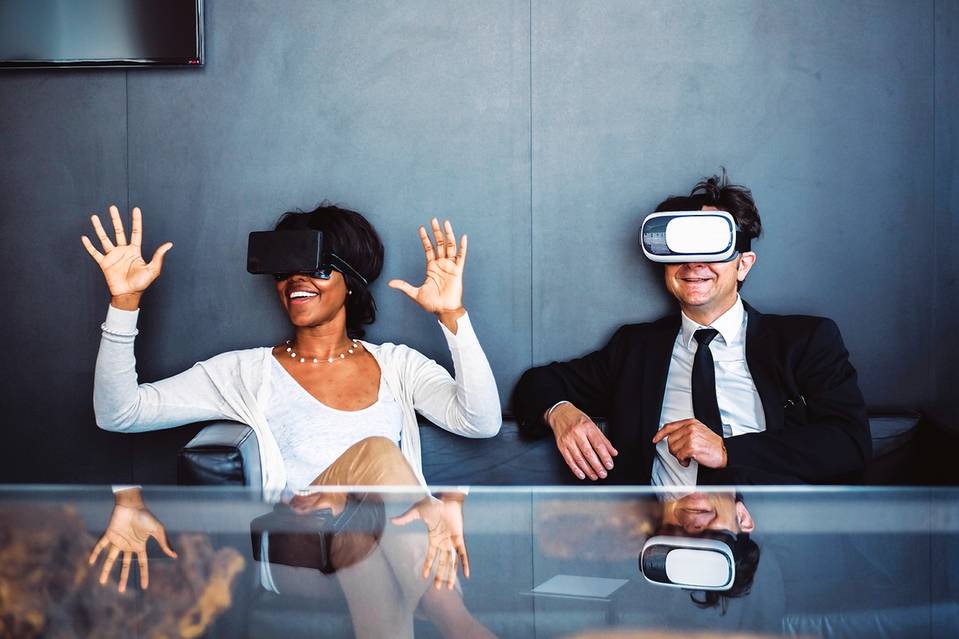
A VR meeting, by contrast, places everyone in a shared 3D space:
- You see colleagues as avatars sitting or standing around you.
- Spatial audio makes it clear who is speaking and from where.
- You can walk up to a whiteboard, manipulate 3D models, or break into smaller groups.
For example, Meta’s **Horizon Workrooms** platform lets remote teams share persistent virtual rooms with whiteboards, shared screens, and spatial audio, so meetings feel much closer to being in the same space.
For many teams, this leads to:
- stronger sense of presence,
- more natural conversation flow, and
- better engagement than staring at a webcam grid.
VR will not replace every meeting, but for collaboration‑heavy sessions, it can be a big upgrade.
Benefits Of VR In Virtual Meetings
1. Enhanced Engagement and Focus
- People are less likely to check their email or their phone inside a headset.
- Spatial audio and body positioning make side conversations and turn‑taking feel more natural.
- Interactive tools (3D whiteboards, sticky notes, models) keep participants actively involved.
Result: fewer “zoned out” attendees and more true participation.
2. Immersive Collaboration Spaces
VR platforms let you create or choose from many types of virtual rooms:
- classic conference rooms,
- design studios with large virtual screens,
- large auditoriums or classrooms,
- creative environments for brainstorming.
You can pin slides, documents, and browser windows on virtual walls, walk around them, and present as if everyone is physically there.
3. Reduced Travel and Office Costs
- Workshops and training sessions can be held in VR instead of flying everyone to one location.
- Distributed teams can feel “together” without a physical office.
- Companies can host client demos and product walk‑throughs entirely in virtual space.
This not only reduces cost, but it also saves time and lowers environmental impact.
Types of VR Headsets for Meetings
Different setups suit different companies and budgets.
Standalone Headsets
Standalone VR headsets have all the computing hardware built in.
Pros
- No PC or console required
- Easy to deploy and move between meeting rooms or home offices
- Lower total cost for many users
Examples (as of 2024)
- Meta Quest 2 / Quest 3
- Pico‑style standalone headsets in some regions
Best for: most remote teams that want a simple, wireless solution.
PC‑Powered (Tethered) Headsets
These headsets plug into a VR‑ready computer via cable or special adapter.
Pros
- Higher rendering quality and more customization
- Good for complex 3D content and engineering apps
Examples
- HTC Vive Pro 2
- Valve Index
- Some Windows Mixed Reality headsets
Best for: design studios, simulation work, and teams that already use powerful PCs.
Enterprise AR/MR Headsets
Some companies use mixed‑reality or AR devices for work and light meetings.
Examples
- Microsoft HoloLens 2
- High‑end mixed‑reality headsets used for industrial training
Best for: training, field work, and specialized workflows where hands‑free overlays matter more than long discussions.
Top VR Headsets for Meetings
Virtual Reality headsets are no longer experimental tools for meetings. They are now used for remote collaboration, design reviews, training sessions, and team workshops. The best headsets for meetings prioritize comfort, clarity, reliable tracking, and strong support for professional collaboration platforms.
Meta Quest 3
Brand: Meta
Model: Quest 3
The Meta Quest 3 is the current mainstream standard for virtual meetings. It replaces the discontinued Oculus Quest 2 and offers major upgrades in resolution, performance, and mixed-reality capabilities.
- Resolution: 2064 × 2208 per eye
- Refresh Rate: Up to 120Hz
- Price: Starting at $499
The Quest 3 is fully standalone, requiring no PC for most meeting use cases. It supports Meta Horizon Workrooms, Spatial, Microsoft Mesh, Immersed, and Zoom VR. Improved color passthrough makes it especially useful for mixed-reality meetings where users interact with both virtual content and their physical workspace.
Meta Quest 3S
Brand: Meta
Model: Quest 3S
The Quest 3S is Meta’s lower-cost alternative aimed at productivity and social VR rather than high-end mixed reality.
- Resolution: 1832 × 1920 per eye
- Refresh Rate: Up to 120Hz
- Price: Starting at $299
It uses the same Snapdragon XR2 Gen 2 chipset as the Quest 3 but with simpler optics. For virtual meetings, it delivers excellent value and broad app compatibility at a lower cost.
HTC Vive Pro 2
Brand: HTC
Model: Vive Pro 2
The HTC Vive Pro 2 is designed for enterprise environments where visual clarity and precision tracking matter more than portability.
- Resolution: 2448 × 2448 per eye
- Refresh Rate: Up to 120Hz
- Price: Around $799 (headset only)
This headset requires a high-end PC and external base stations. It supports professional platforms such as Engage, Spatial, and custom enterprise VR solutions. It is best suited for fixed office setups, boardrooms, or simulation-heavy meetings.
Apple Vision Pro
Brand: Apple
Model: Vision Pro
Apple Vision Pro represents a new category focused on spatial computing rather than traditional VR.
- Resolution: Apple has not published exact pixel counts, but it exceeds 4K per eye
- Refresh Rate: Adaptive (up to 100Hz)
- Price: $3,499
While very expensive, Vision Pro offers unmatched display clarity and a highly natural face‑to‑face presence using Persona avatars. It supports Microsoft Teams, Zoom, Webex, and Apple’s own collaboration tools. This headset is aimed at executives, designers, and high‑end professional users who want top‑tier visuals and premium build quality.
Feature Comparison
You can use the table below as a quick comparison when deciding which headset fits your remote‑meeting needs:
| Feature | Meta Quest 3 | Meta Quest 3S | HTC Vive Pro 2 | Apple Vision Pro |
|---|---|---|---|---|
| Resolution | 2064 × 2208 per eye | 1832 × 1920 per eye | 2448 × 2448 per eye | >4K per eye |
| Refresh Rate | Up to 120Hz | Up to 120Hz | Up to 120Hz | Up to 100Hz |
| Standalone | Yes | Yes | No | Yes |
| PC Required | No | No | Yes | No |
| Price (USD) | From around \$$499+ | From around \$$299+ | Around \$799 (HMD only) | Around \$3,499 |
For a broader comparison of more consumer and gaming-focused devices, see our guide to the Best VR Headsets.
Setting Up VR for Virtual Meetings
Hardware Basics
To host or join VR meetings, you typically need:
- VR headset – standalone or PC‑tethered, depending on your choice
- Comfortable controllers – or hand tracking, for pointing and interacting
- Stable internet connection – wired or strong Wi‑Fi 5/6
- Optional PC – if you use a tethered headset or desktop apps
For PC‑VR, check that your machine meets or exceeds the headset’s minimum requirements (CPU, GPU, RAM).
Software and Meeting Apps
After the hardware is ready:
- Install the headset’s core software (Meta, SteamVR, Vive, Windows Mixed Reality, etc.).
- Create or sign in to accounts for your headset ecosystem and meeting apps.
- Choose a meeting platform that supports VR:
- Horizon Workrooms
- Spatial
- Immersed
- ENGAGE, MeetinVR, or others aimed at business/education
- Test everything with a small internal session before using it for important client meetings.
Most standalone and PC‑based headsets also use Bluetooth to connect their controllers, keyboards, and other accessories. If you want to understand how that wireless system works under the hood, take a look at our **Bluetooth Technology** guide.
Best Practices for VR Meetings
Optimize Comfort
Long, uncomfortable sessions will kill adoption quickly. To keep everyone happy:
- Adjust straps and lenses for each user so the picture is clear and pressure points are minimal.
- Use headset covers or different face gaskets for people with glasses.
- Encourage 10–15-minute breaks in longer meetings.
- Keep the room at a comfortable temperature and provide a safe, clear play area.
Ensure Smooth Connectivity
- Use the fastest and most stable network available (wired Ethernet where possible).
- Close unnecessary desktop apps or downloads on the PC or network.
- Ask participants to join a few minutes early to test audio and controllers.
- Keep headset and app firmware up to date.
Facilitate the Meeting Like You Would In-Person
VR does not replace basic meeting skills:
- Set an agenda and share it in advance.
- Use hand‑raising or reaction tools to control speaking turns.
- Use break‑out “rooms” or side tables for small‑group work.
- Save whiteboards, sticky notes, and recordings when the meeting ends.
For long, voice‑heavy sessions, a good pair of headphones can make just as much difference as the headset itself. If you need ideas, our roundup of the **Best Studio Headphones** highlights models that deliver clear, detailed audio for calls, meetings, and creative work.
Challenges and How to Handle Them
1. Hardware Cost and Scalability
Challenge: Buying headsets for a whole team can be expensive.
Solutions:
- Start with a pilot group rather than the whole company.
- Use shared headsets in hot‑desk style meeting rooms.
- Compare the cost to what you spend on travel and in‑person workshops.
2. User Comfort and Motion Sickness
Challenge: Not everyone feels good in VR immediately.
Solutions:
- Begin with short sessions and simple, comfortable environments.
- Avoid apps with fast artificial movement or intense visuals for new users.
- Allow people to opt out of VR and join via regular video when needed.
3. Learning Curve and Adoption
Challenge: Employees are used to Zoom/Teams and may be unsure about VR.
Solutions:
- Offer a short onboarding session: how to wear the headset, move, mute/unmute, and use menus.
- Create a simple one‑page quick‑start guide with pictures.
- Start with low‑stakes internal meetings before using VR with clients.
Future of VR Headsets in Remote Work
As hardware and software improve, expect:
- Higher‑resolution displays and better passthrough cameras – easier on the eyes; more natural reading of documents and faces.
- Lighter, more comfortable designs – closer to heavy glasses than bulky helmets.
- Better hand and eye tracking – less reliance on controllers; more natural pointing and selection.
- Tighter integration with existing tools – VR versions of whiteboards, browsers, design tools, and project management apps.
Microsoft is also investing heavily in mixed‑reality collaboration through **Microsoft Mesh**, which aims to bring Teams, HoloLens, and compatible VR headsets together in shared 3D workspaces for remote and hybrid teams.
The most successful companies will treat VR not as a flashy toy, but as one more collaboration tool alongside email, chat, and video – used when it genuinely adds value.
Case Studies
Virtual Reality (VR) headsets are transforming virtual meetings. They offer immersive experiences that traditional video calls can’t match. Let’s explore some real-world applications of VR headsets through various case studies.
Corporate Success Stories
Many companies are using VR headsets for virtual meetings. They find that these devices improve collaboration and productivity. Here are some success stories:
| Company | Application | Results |
|---|---|---|
| Ford | Design Reviews | 40% faster design cycles |
| Accenture | Employee Training | 30% higher engagement |
| Walmart | Management Meetings | 25% cost reduction |
Ford uses VR headsets to conduct design reviews. They reported a 40% faster design cycle. Accenture uses VR for employee training. They saw a 30% increase in engagement. Walmart uses VR for management meetings. They reduced costs by 25%.
Educational Applications
Educational institutions are also adopting VR headsets. They use them to make learning more engaging. Here are some examples:
- Stanford University: Uses VR for medical training. Students can practice surgeries in a virtual environment.
- Harvard Business School: Uses VR for business simulations. Students can experience real-world business scenarios.
- K-12 Schools: Many schools use VR for virtual field trips. Students can explore historical sites without leaving the classroom.
Stanford University uses VR for medical training. Students practice surgeries in a safe, virtual environment. Harvard Business School uses VR for business simulations. Students can experience real-world scenarios. Many K-12 schools use VR for virtual field trips. Students explore historical sites without leaving the classroom.
FAQ: VR Headsets for Virtual Meetings
Can you hold business meetings in VR?
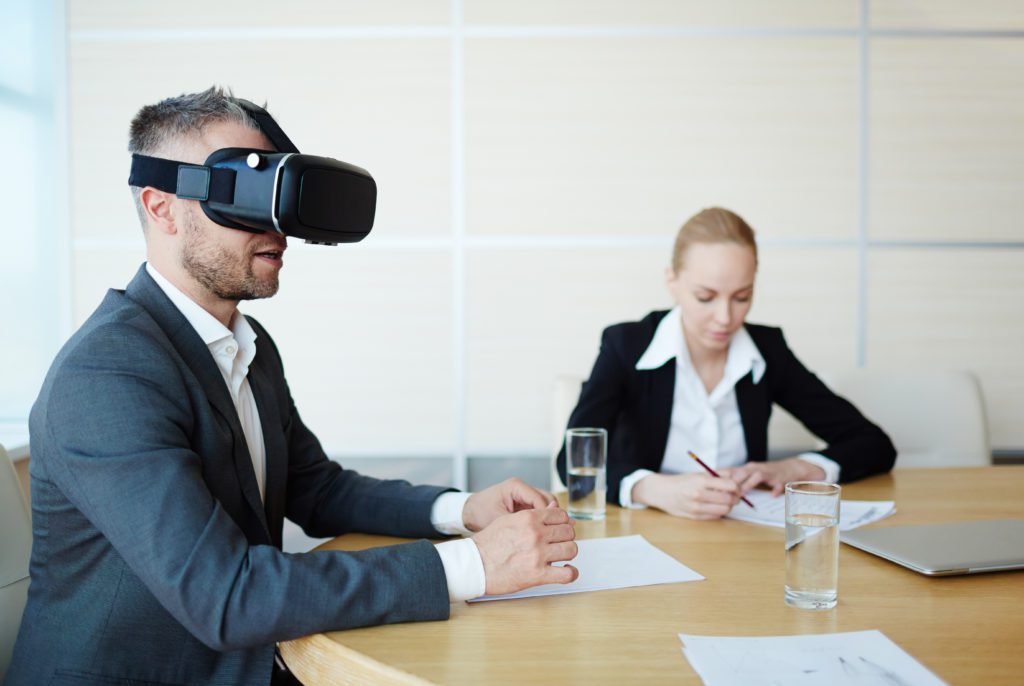
Yes. Many platforms now support virtual conference rooms, whiteboards, and presentation tools specifically for business meetings and workshops.
Do I need a powerful PC?
Not always. Standalone headsets like Meta Quest 2/3 run VR meeting apps on the device itself. PC‑VR headsets do require a capable computer and a stronger GPU.
Which is better for meetings, VR or normal video calls?
You do not need VR for every meeting. VR works best for:
- brainstorming sessions,
- design reviews,
- training and team‑building workshops,
where presence and interaction matter more than quick status updates.
Can participants without VR still join?
Many VR meeting platforms offer 2D desktop or mobile clients so people without a headset can still participate using a regular screen.
Conclusion
VR headsets for virtual meetings are still new, but they already offer clear benefits for remote teams:
- deeper engagement,
- more natural collaboration spaces,
- and reduced reliance on travel.
If you start small, choose the right headset type for your team and follow a few best practices for comfort and connectivity, VR can move from “interesting experiment” to a genuinely useful part of your remote‑work toolkit.
Used wisely, VR meetings will not replace every Zoom call – but they can transform the sessions where interaction, creativity, and presence matter most.

A passionate tech blogger and the founder of Best Tech View, a dynamic platform dedicated to all things technology. With a keen interest in the tech, Ahmad strives to provide insightful and engaging content on the latest tech trends, and breakthroughs.