
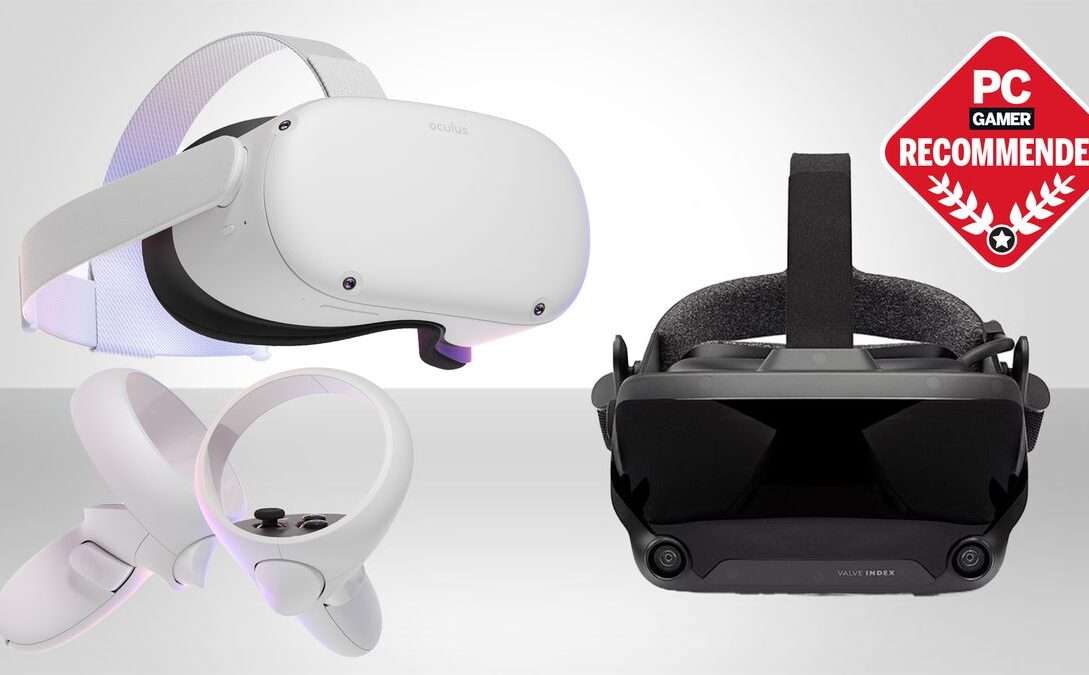
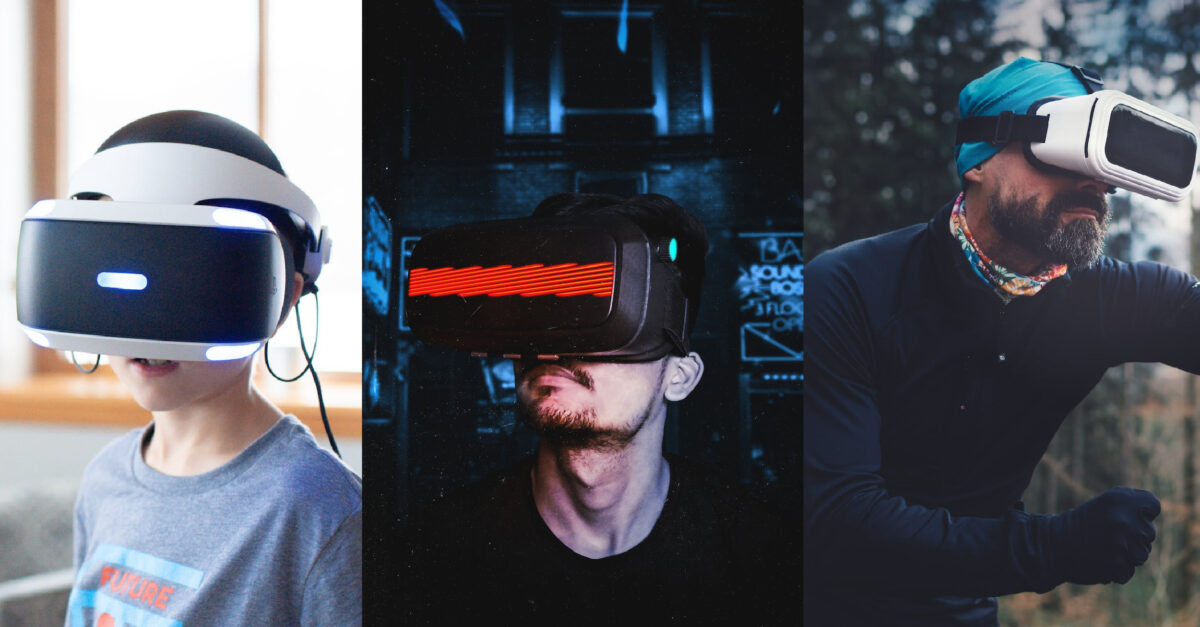
VR headsets for streaming provide an immersive viewing experience. They enhance content engagement by making you feel part of the action.
Virtual Reality (VR) headsets have revolutionized the way we consume digital content. By offering a 360-degree view and interactive elements, these devices create a more engaging and lifelike experience.
Whether you’re watching movies, playing games, or exploring virtual worlds, VR headsets elevate the entertainment experience to new heights. They are increasingly popular for streaming services, allowing users to dive deeper into their favorite shows and live events.
With advancements in technology, VR headsets are becoming more accessible and user-friendly, making them a must-have for any tech enthusiast. These devices not only entertain but also offer endless possibilities for education and professional use.
Introduction To VR Streaming
Virtual Reality (VR) headsets are revolutionizing the way we experience entertainment. VR streaming lets you dive into immersive worlds. You can feel like you’re right in the action. This technology brings a new dimension to watching videos and playing games.
What Is VR Streaming?
VR streaming is the process of delivering virtual reality content over the internet. This content can be live or pre-recorded. Users wear VR headsets to view the content. It feels like they are part of the scene. This is different from traditional streaming, which is viewed on flat screens.
Here are some common types of VR streaming:
- 360-degree videos
- VR games
- Live events
These experiences are more engaging and interactive than regular videos.
Benefits Of VR Streaming
VR streaming offers many advantages. Here are some key benefits:
| Benefit | Description |
|---|---|
| Immersive Experience | You feel like you’re in the middle of the action. |
| Interactive Content | You can interact with the virtual environment. |
| Enhanced Learning | VR can make learning more engaging and effective. |
These benefits make VR streaming a popular choice for entertainment and education.
Top VR Headsets for Streaming
Virtual Reality (VR) headsets have changed how people watch movies, live events, and immersive content. Modern headsets offer sharper displays, smoother playback, and virtual cinema environments that make streaming feel more engaging. Below are the top VR headsets that deliver strong streaming experiences today.
Meta Quest 2 and Meta Quest 3
Originally released under the Oculus brand, the Rift line has been discontinued. Its role has been taken over by the Meta Quest series, which is now the most widely used VR platform for streaming.
Key features
- High-resolution displays
- Wireless, standalone operation
- Comfortable, lightweight design
- Built-in tracking using the headset’s own cameras, with no external sensors needed.
These headsets work smoothly with popular streaming and media apps such as Bigscreen, YouTube VR, Skybox, and Meta TV. Low latency and strong software support make them ideal for long streaming sessions in a virtual theater environment.
HTC Vive XR Elite
The original HTC Vive is now legacy hardware. The HTC Vive XR Elite is HTC’s modern replacement, designed for both standalone VR and PC-connected use.
Key features
- High-resolution displays
- Wide field of view
- Precise inside-out tracking
- Ergonomic design for extended use
The Vive XR Elite supports VR streaming through PC-VR platforms and standalone media apps. Its accurate tracking and strong visuals enhance immersion during movies and interactive content.
PlayStation VR2
Sony’s PlayStation VR2 connects to the PlayStation 5 and offers one of the best display technologies available for console-based VR streaming.
Key features
- OLED displays with HDR support
- Cinematic Mode for large virtual screens
- Eye tracking and advanced haptics
- Seamless PlayStation 5 integration
It’s a strong choice for users already invested in the PlayStation ecosystem who want high-quality VR streaming and entertainment.
Apple Vision Pro (Premium Option)
While positioned as a spatial computing device rather than a traditional VR headset, the Apple Vision Pro delivers industry-leading visual quality for streaming.
Key features
- Ultra-high-resolution micro-OLED displays
- Hand and eye tracking (no controllers required)
- Optimized for movie and TV streaming
- Exceptional clarity and color accuracy
This headset is ideal for users who prioritize cinematic quality over gaming.
Feature Comparison
| Feature | Meta Quest 3 | HTC Vive XR Elite | PlayStation VR2 |
|---|---|---|---|
| Display Type | High-resolution LCD panel | High-resolution LCD panel | OLED display with HDR |
| Field of View | Approximately 110° | Around 110° | Roughly 110° |
| Tracking System | Headset-based camera tracking | Onboard camera tracking | Camera tracking with eye-tracking support |
| Standalone Capability | Fully standalone operation | Standalone with optional PC use | Requires PlayStation 5 |
Setting Up Your VR Headset for Streaming
Setting up your VR headset for streaming can be an exciting experience. This guide will help you through the essential steps to get started.
Hardware Requirements
Before diving into the VR world, ensure you have the right hardware. Here are the essentials:
- VR Headset: Choose a reliable VR headset like Oculus Rift or HTC Vive.
- Powerful PC: Your PC should have a strong GPU and CPU.
- USB Ports: Make sure you have enough USB 3.0 ports.
- HDMI Port: A free HDMI port is required for the headset.
Software Installation
Installing the necessary software is crucial for a seamless VR experience. Follow these steps:
- Download the VR headset software from the official website.
- Run the installer and follow the on-screen instructions.
- Install any additional drivers or updates required.
Here is a table summarizing the software you might need:
| Software | Description |
|---|---|
| Oculus Software | For Oculus Rift headsets |
| SteamVR | For HTC Vive and other compatible devices |
| Graphics Drivers | Ensure your GPU drivers are up-to-date |
After installing the software, connect your headset to the PC. Follow any calibration steps to finish the setup.
Credit: castr.com
Best Platforms For VR Streaming
Virtual Reality (VR) is changing the way we enjoy content. VR headsets make streaming more immersive. But which platforms are the best for VR streaming? Here, we explore the top options available.
Youtube VR
YouTube VR is a great platform for VR streaming. It offers a huge library of VR content. Users can find videos in 360 degrees. This makes the experience very engaging.
YouTube VR can be accessed on various VR headsets. These include Oculus Rift, HTC Vive, and PlayStation VR. The platform also supports Google Cardboard. This makes it accessible to many users.
Some key features of YouTube VR:
- Wide range of content
- 360-degree videos
- Easy to use
- Accessible on multiple devices
Netflix VR
Netflix VR brings your favorite shows and movies into virtual reality. It offers a unique viewing experience. Users can feel like they are in a private theater.
Netflix VR is available on Oculus Go, Oculus Quest, and Google Daydream. Users can stream all the content available on regular Netflix. This includes movies, series, and documentaries.
Important features of Netflix VR:
- Private theater experience
- Access to all Netflix content
- Compatible with several VR headsets
- High-quality streaming
Both YouTube VR and Netflix VR offer unique features. They make VR streaming a wonderful experience. Choose the platform that best suits your needs and enjoy!
Enhancing The VR Experience
Virtual Reality (VR) headsets are transforming how we stream content. They bring a new level of immersion and excitement. Enhancing the VR experience involves optimizing the content, comfort, and overall usability of these devices.
High-quality Content
High-quality content is essential for a great VR experience. Ensure the videos and games are high resolution. This minimizes blurriness and enhances detail. Use 4K or higher resolution for the best visuals.
- Choose content with rich detail
- Avoid low-resolution videos
- Look for VR-optimized games
High-quality sound is also important. Use surround sound or 3D audio for immersive experiences. This helps create a realistic environment. Good sound quality can make or break the VR experience.
Comfort Tips
Comfort is crucial when using VR headsets for extended periods. Here are some tips to enhance comfort:
- Adjust the straps for a snug fit.
- Use lightweight headsets to reduce strain.
- Take regular breaks to prevent fatigue.
Another comfort tip is to use foam padding. This can make the headset more comfortable. Ventilation is also important. Look for headsets with good airflow to reduce heat buildup.
| Comfort Feature | Benefit |
|---|---|
| Adjustable Straps | Customized fit |
| Lightweight Design | Reduced strain |
| Foam Padding | Increased comfort |
| Good Ventilation | Reduced heat |
Make sure to clean the headset regularly. This prevents skin irritation and keeps the device in good condition. Use a soft cloth and mild cleaner for best results.

Credit: www.dacast.com
Troubleshooting Common Issues
Virtual Reality (VR) headsets are fantastic for streaming immersive content. Yet, users often face common issues. This section covers how to troubleshoot these problems effectively. Let’s dive into the solutions for connectivity problems and performance lag.
Connectivity Problems
Connectivity problems can ruin your VR streaming experience. Ensure your headset and PC are on the same Wi-Fi network. Here are some steps to follow:
- Check Wi-Fi Signal: Ensure your router is close to your headset.
- Restart Devices: Restart both your headset and router.
- Update Firmware: Make sure both devices have the latest updates.
- Disable Interfering Devices: Turn off other devices that might interfere with the connection.
If these steps don’t work, consider using a wired connection. A wired connection can often solve many connectivity issues.
Performance Lag
Performance lag can disrupt your VR experience. Here are ways to minimize lag:
- Close Background Applications: Ensure no unnecessary applications are running.
- Update Graphics Drivers: Keep your graphics drivers up-to-date.
- Lower Graphics Settings: Reduce the graphics settings in your VR application.
- Check Hardware: Ensure your PC meets the VR headset’s requirements.
If lag persists, you may need to upgrade your PC hardware. A better GPU or more RAM can make a big difference.
| Issue | Solution |
|---|---|
| Connectivity Problems | Check Wi-Fi, restart devices, update firmware, and disable interfering devices |
| Performance Lag | Close apps, update drivers, lower settings, check hardware |
By following these tips, you can improve your VR streaming experience. Enjoy a smoother and more immersive adventure with your VR headset.
Future Of VR Streaming
The future of VR streaming promises exciting changes. VR headsets are evolving rapidly. They offer new ways to experience content. Let’s explore the key advancements and potential applications.
Technological Advancements
Technological advancements in VR headsets are incredible. Higher resolution screens provide clearer images. Improved refresh rates reduce motion sickness.
Wireless connectivity is a game-changer. It allows more freedom of movement. Eye-tracking technology enhances interaction. It makes VR more immersive.
Haptic feedback adds a new dimension. You can feel virtual objects. Enhanced audio technologies provide spatial sound. It makes experiences more realistic.
| Advancement | Benefit |
|---|---|
| Higher Resolution | Clearer Images |
| Improved Refresh Rates | Less Motion Sickness |
| Wireless Connectivity | More Freedom |
| Eye-Tracking | Better Interaction |
| Haptic Feedback | Feel Virtual Objects |
| Enhanced Audio | Spatial Sound |
Potential Applications
The potential applications of VR streaming are vast. Gaming is the most popular use. It offers immersive gameplay. Virtual tourism allows you to visit places without leaving home.
Educational content is another exciting area. Students can explore historical sites. Training simulations for various professions are becoming common.
Live events are also a big draw. Experience concerts and sports games from home. Social VR lets you interact with friends in virtual spaces.
- Gaming
- Virtual Tourism
- Educational Content
- Training Simulations
- Live Events
- Social VR
These applications make VR streaming very promising. The future looks bright.
Credit: vr.linde.com
Frequently Asked Questions About VR Headsets for Streaming
Can You Stream From A VR Headset?
Yes. You can stream from a VR headset using built-in tools or third-party software.
Standalone headsets like Meta Quest 2 and Meta Quest 3 support native casting and recording, while PC-connected headsets stream through software such as OBS using SteamVR or PC capture tools.
On consoles, PlayStation VR2 streams directly through the PlayStation 5’s built-in streaming features.
What VR Headset Do Most Streamers Use?
Most VR streamers use the Meta Quest 2 or Meta Quest 3.
They are popular because they’re wireless, easy to set up, affordable, and compatible with PC streaming through Meta Quest Link or Air Link. Quest headsets dominate platforms like Twitch and YouTube VR streams.
Which VR Headsets Work With Steam?
SteamVR supports many modern VR headsets, including:
- Meta Quest 2 and Meta Quest 3 (via Link or Air Link)
- Valve Index
- HTC Vive and Vive XR Elite
- PlayStation VR2 (PC support now available)
- Windows Mixed Reality headsets (limited but supported)
These headsets integrate smoothly with SteamVR, giving access to a large library of VR games and experiences.
What VR is Worth Buying?
For most users, the Meta Quest 3 is the best overall choice right now.
It offers standalone use, strong performance, mixed-reality features, and full PC-VR compatibility.
If budget is the priority, Meta Quest 2 still offers excellent value.
For console players, PlayStation VR2 is worth buying if you own a PS5.
For premium media and streaming quality, Apple Vision Pro stands out, though it’s priced for high-end users.
Conclusion
Choosing the right VR headset can transform your streaming experience. Evaluate features, compatibility, and budget to find your perfect match. The right headset enhances immersion, making every stream enjoyable.
Stay updated on VR technology to maximize your streaming adventures. Happy streaming with your new VR headset!

A passionate tech blogger and the founder of Best Tech View, a dynamic platform dedicated to all things technology. With a keen interest in the tech, Ahmad strives to provide insightful and engaging content on the latest tech trends, and breakthroughs.

