

Virtual reality (VR) headsets are no longer just expensive toys for adults. When you use them carefully, VR headsets for kids can:
- Make lessons feel like field trips,
- Turn science and history into interactive adventures, and
- Give children creative new ways to play and explore.
At the same time, parents have real questions about safety, screen time, and age limits.
This guide explains:
- What VR is and how it works for kids,
- The benefits and risks to be aware of,
- How to choose a kid‑friendly VR headset, and
- practical tips to keep VR fun, educational, and safe.
Credit: www.kaixr.com
What Is VR (and Why Do Kids Like It So Much)?
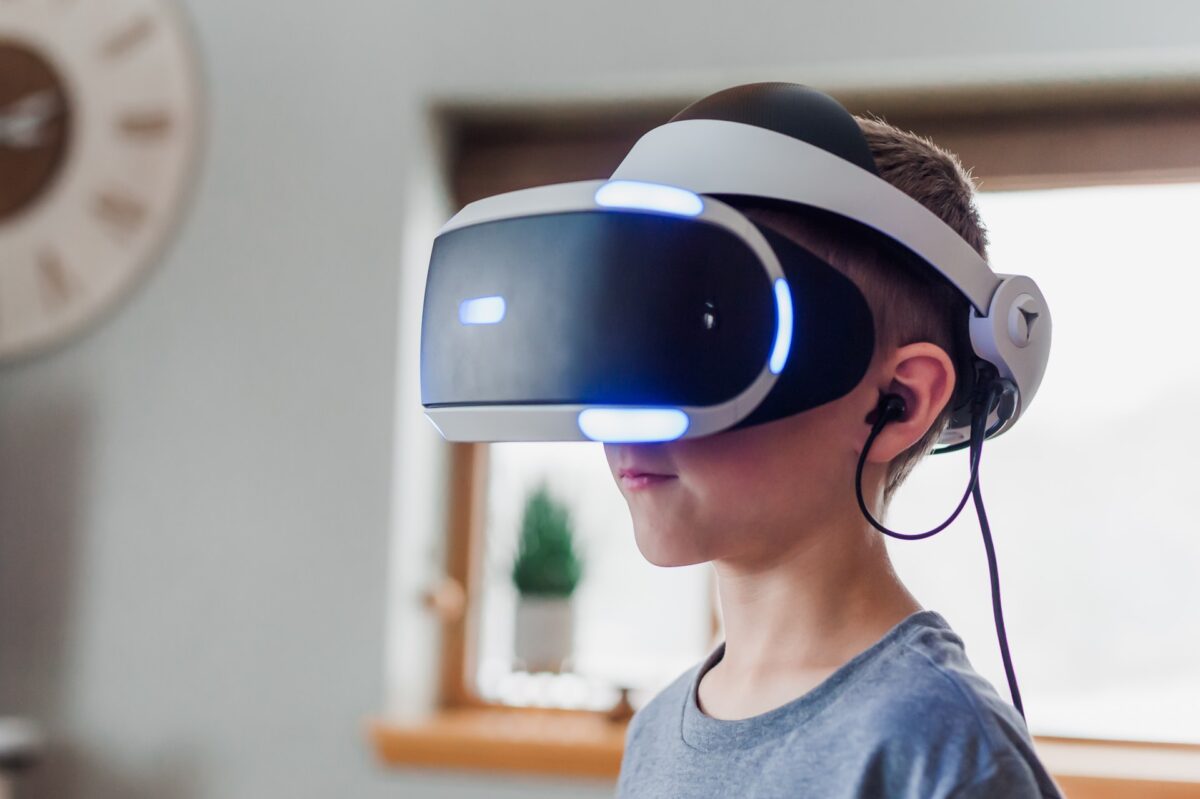
Virtual Reality (VR) uses a headset with screens and sensors to create a 3D world around your child. When they turn their head, look up or down, or move their hands, the virtual world responds in real time.
A basic VR setup for kids usually includes:
| Feature | Description |
|---|---|
| Headset | Covers the eyes, shows the virtual world |
| Controllers | Let kids grab, point, throw and interact with objects |
| Sensors | Track head and hand movement and update the scene instantly |
For children, this feels less like “watching a screen” and more like stepping inside a story or game. That level of immersion is powerful for both fun and learning, which is why parents need to manage it wisely.
Benefits Of VR For Kids
Used in moderation and with the right content, VR can offer real benefits:
1. Makes Learning More Engaging
- Virtual field trips to museums, outer space, or ancient cities
- Interactive science experiments and 3D anatomy lessons
- Geography and history that kids can walk through instead of just reading about
When kids feel like they are “inside” the lesson, they tend to pay more attention and remember more.
2. Boosts Creativity and Imagination
- VR painting and building apps let kids sculpt, draw, and design in 3D
- Story‑based games encourage problem‑solving and storytelling skills
- Sandbox worlds allow them to build their own environments and puzzles
3. Encourages Movement
Not all VR is sedentary:
- Some games require kids to dance, dodge or swing their arms
- Fitness‑style apps can make exercise feel like a game
It is not a full replacement for outdoor play, but it can be more active than sitting with a tablet.
4. Social and Teamwork Skills
- Multiplayer experiences let kids cooperate on puzzles or quests
- Shared virtual spaces teach communication, turn‑taking, and basic online etiquette
As always, parents should monitor who their children interact with online, just as they would with any other connected game.
Is VR Safe for Kids?
This is the biggest question for most parents.
Most major headset manufacturers (Meta, Sony, etc.) recommend VR for ages 12–13 and up. They base this on eye development, comfort, and available research.
For general media and screen‑time guidance by age, you can also review the latest recommendations from the **American Academy of Pediatrics**.
Potential Concerns
- Eye strain and headaches from long sessions or a poor fit
- Motion sickness if the content is jerky or latency is high
- Neck strain from heavy headsets on smaller bodies
- Over‑stimulation or nightmares from intense experiences
- Too much screen time is crowding out sleep, homework, or outdoor play
General Safety Guidelines (not medical advice)
- Follow the age recommendations from the headset manufacturer.
- Keep VR sessions short for younger kids – think 10–20 minutes with breaks.
- Stop immediately if your child complains of dizziness, nausea, or eye strain.
- Talk to your pediatrician if your child has a history of seizures, vision problems, or balance issues before introducing VR.
For example, Meta’s official Quest **Health & Safety information** recommends its headsets only for users aged 13 and older, and includes additional guidance on comfort breaks and using VR with children.
VR is not a toy you just hand over and forget; it is a tool that needs supervision, like a game console or smartphone.
Choosing the Right VR Headset for Your Child
Age‑Appropriate Options (High Level)
| Age Range | Typical Option | Notes |
|---|---|---|
| 5–7 years | Simple mobile/phone‑based VR viewers | Very limited, always with adult help |
| 8–12 years* | Standalone VR with strict supervision & limits | Follow manufacturer age guidelines |
| 13+ years | Full‑feature standalone or console/PC VR | More content, more responsibility |
*Many manufacturers still recommend 12–13+; younger use should be a conscious family decision with extra care.
If you are ready to compare specific devices, we also have a separate guide to the **Best VR Headsets** that reviews the main options and helps you pick the right one for your family and budget.
Popular VR Headset Platforms for Families
Once you know your child’s age range and what you want to use VR for, it helps to understand the main platforms on the market. Always check the official age recommendations for each device. Most full-feature headsets are designed for ages 12 and up.
| Platform / Brand | Example Devices (as of 2024) | Type | Notes for Families (USA) |
| Meta | Meta Quest 2, Meta Quest 3 | Standalone VR | Very popular, no PC required, large game and app library. Meta recommends 13+ for safety. |
| Sony | PlayStation VR2 | Console VR (PS5 required) | Great for families who already own a PS5. Strong focus on high‑end games. Recommended for teens, not young kids. |
| Nintendo | Nintendo Labo VR Kit (Switch) | Simple, cardboard‑style VR | More like “VR‑style” experiences than full VR. Very basic and highly supervised, better for short, creative play. |
| Smartphone‑based viewers | Generic phone‑based headsets | Mobile VR (uses a phone) | Cheap and limited. Only use with strong parental supervision and short sessions. Check app ratings carefully. |
| Apple | Apple Vision Pro (advanced MR) | Premium mixed‑reality headset | Very expensive and aimed at adults. Not a kid device, but some families may use it together for short, supervised experiences. |
These options all have different strengths:
- Standalone headsets (like Meta Quest) are the easiest for most families because they do not need a PC or console.
- Console VR (like PlayStation VR2) makes sense if you already own the right console and want high‑quality games for teens.
- Simple phone-based viewers and kits can introduce younger kids to basic VR-style content, but supervision should be closely monitored, and sessions should be kept short.
Whichever platform you choose, always:
- Read the manufacturer’s age guidance,
- Review content ratings, and
- Set up parental controls before allowing children to use the headset.
What to Look For in a Kid‑Friendly Headset
- Comfort and fit
- Adjustable straps
- Lightweight design
- Soft, replaceable face padding
- Easy setup and interface
- Simple menus kids can navigate
- A clear guardian/boundary system to stop them from walking into furniture
- Parental controls
- App rating filters (age‑based content)
- Ability to approve purchases or downloads
- Usage time limits and activity logs, where available
- Content library
- Strong library of age‑appropriate educational and creative apps
- Limited access to violent or mature content
- Price and ecosystem
- Consider both the headset price and the cost of games/apps
- Stick to well‑supported platforms so you get updates and bug fixes
Always read real user reviews and watch recent video reviews before you buy. Families will often mention comfort issues, good kid games, and how parental controls work in practice.
Most modern headsets also rely on Bluetooth to connect controllers, earbuds, and other accessories. If you want to understand how that wireless system works behind the scenes, take a look at our **Bluetooth Technology** guide.
Credit: www.bark.us
Setting Up a Safe VR Environment at Home
Even with the right headset, environment matters.
Space Requirements
- Clear at least 6 ft x 6 ft (about 2 m x 2 m) of open space.
- Move away chairs, coffee tables, and anything sharp.
- Use a soft rug or play mat if possible to cushion minor stumbles.
Supervision Tips
- Be in the room (or within line of sight) while your child uses VR.
- Watch their body language – if they seem scared, dizzy, or too “zoned out”, pause.
- Remind them to take regular breaks to rest their eyes and body.
VR for kids should never be unsupervised like an old TV in the corner.
Educational VR Apps for Kids
When used well, VR can be much more than just games.
How VR Helps Learning
- Makes abstract subjects (space, physics, history) feel concrete
- Provides safe simulations for experiments or field trips
- Let’s kids learn at their own pace and repeat lessons as needed
Examples of Educational VR Experiences
(Always check current ratings and content details before letting kids use any app.)
- Virtual field trips – explore museums, oceans, space, and historical sites in 360°.
- Science and anatomy apps – walk through the solar system or the human body.
- Language and storytelling apps – practice vocabulary and narration in interactive scenes.
Mix these with regular schoolwork, books, and offline activities to get the best results.
Entertainment and Games: Keeping Fun in Balance
VR can be incredibly fun for kids, which is both a strength and a risk.
Popular Game Types for Kids
- Rhythm and music games (swing, dance, slice beats)
- Creative building and sandbox games
- Light puzzle and adventure games
- Silly “job simulator” style games that let them act out different roles
Balancing Fun and Education
- Set a daily or weekly VR limit (for example, 20–30 minutes on school days, a bit more on weekends).
- Require kids to alternate: play one fun game, then try one educational app.
- Combine VR with real‑world physical activity (sports, outdoor play) and social time.
If you prefer to use separate headphones with your child’s VR headset, it is worth choosing a model designed with kids’ hearing in mind. Our roundup of the **Best Kids Headphones** focuses on safe volume limits, comfort, and durability for younger users.
Using Parental Controls and Monitoring Tools
Most modern headsets and their companion apps offer some kind of parental control feature.
What Parents Can Usually Control
- App ratings and content – hide apps rated above a certain age.
- Purchases – require a PIN or approval for buying new content.
- Screen time limits – some platforms let you set daily time caps.
- Activity reports – see which apps your child uses and for how long.
Best Practices
- Set family rules for when and where VR is allowed (e.g., only in the living room, only when an adult is home).
- Regularly review the installed apps and game library.
- Discuss online safety, privacy, and responsible behavior in virtual worlds openly with your child.
Credit: www.verizon.com
Maintaining the VR Headset
Good care keeps the device safe and hygienic for kids.
Cleaning
- Use a soft, dry microfiber cloth for lenses.
- Wipe the exterior with a slightly damp cloth; avoid harsh chemicals.
- Consider washable or replaceable face covers if multiple children share the headset.
Storage
- Store in a cool, dry place away from direct sunlight.
- Keep it in a case or on a dedicated stand to avoid drops and dust.
- Unplug and safely wrap cables when not in use.
If common issues appear (blurry image, tracking problems, no sound), check:
- Headset fit and lens spacing (IPD)
- Firmware and app updates
- Cable connections or Bluetooth pairing (for controllers/headphones)
Frequently Asked Questions: VR Headsets for Kids
Are VR headsets safe for kids?
VR can be safe for kids if you follow manufacturer age guidelines, limit session length, choose age‑appropriate content, and supervise use. If you have specific medical concerns, speak with your child’s doctor before introducing VR.
What is a good age to start using VR?
Most manufacturers recommend VR for ages 12–13+. Some families let slightly younger kids try short, supervised sessions, but this should be a careful, informed decision.
How long should kids use VR at a time?
For school‑age children, many parents start with 10–20 minute sessions and include regular breaks. Watch for signs of eye strain, dizziness, or fatigue, and stop immediately if they appear.
Can VR help with learning?
Yes. Well‑designed educational VR apps can make complex topics easier to understand and remember. The key is to balance VR with traditional learning and real‑world experiences.
Can my child use VR if they wear glasses?
Many headsets support wearing glasses inside, and some offer prescription lens inserts. Always check the manufacturer’s guidance and make sure the fit is comfortable without pressing too hard on the frames.
Conclusion
The right VR headset for kids, used with care, can add real value to both playtime and learning. It can:
- Turn boring lessons into exciting adventures,
- Unlock new creative tools, and
- Let kids explore safely beyond the limits of your home.
At the same time, remember:
- Follow age recommendations,
- Pick age‑appropriate content,
- Limit screen time, and
- Stay involved as a parent.
If you treat VR as one tool among many for your child’s growth – not a babysitter or only toy – it can be a powerful way to support curiosity, creativity, and learning.

A passionate tech blogger and the founder of Best Tech View, a dynamic platform dedicated to all things technology. With a keen interest in the tech, Ahmad strives to provide insightful and engaging content on the latest tech trends, and breakthroughs.