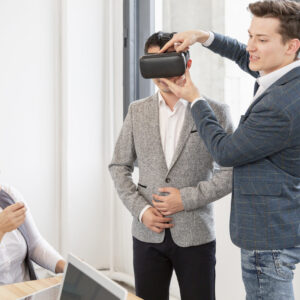

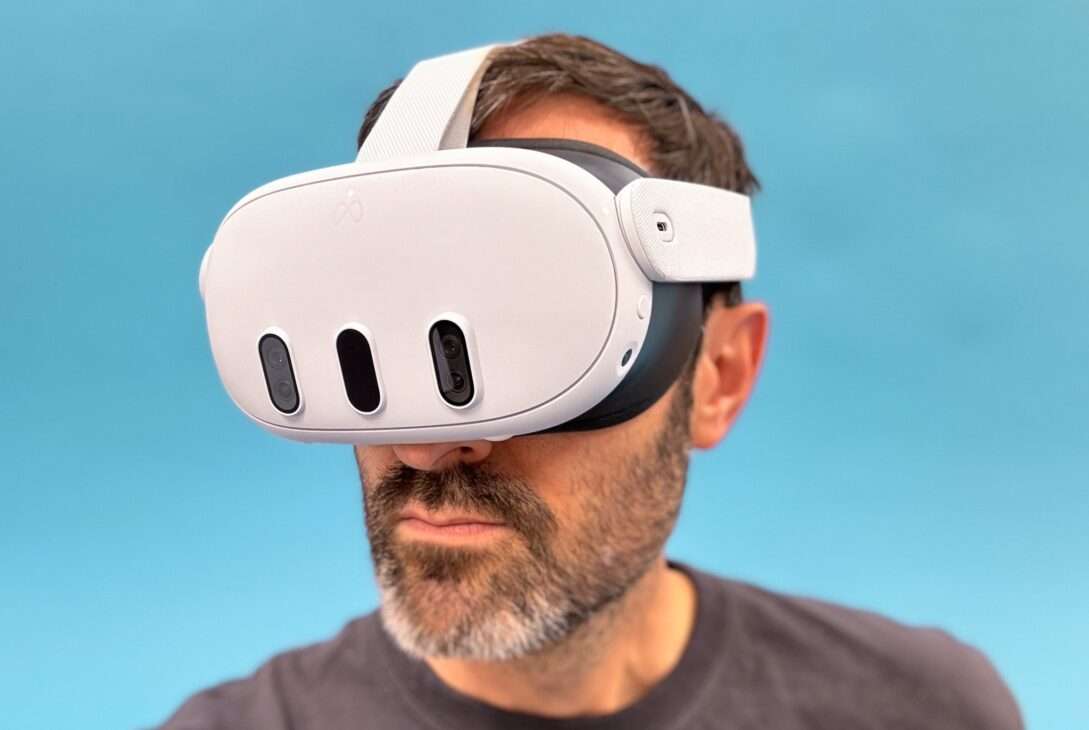
Virtual Reality headsets put a screen inches from your eyes and trick your brain into believing you are somewhere else. You turn your head. The world moves with you. Your hands become controllers or tracked hands in that world.
The result is not just “better graphics.” It is a different kind of experience.
VR is now used for:
- Gaming
- Education and training
- Design and engineering
- Fitness and well-being
- Social spaces and remote work
This guide explains:
- How VR headsets work
- The main types of headsets
- Key specs that matter when you buy
- Which models are worth knowing in the mid 2020s
- What you can do with VR beyond games
- Common problems and future trends
For specific model recommendations and pricing, see our guide to the best VR headsets.
If you want a straight answer to “Which VR headset should I care about and why,” this is for you.
A Short History Of Virtual Reality Headsets
VR started as science fiction. People imagined stepping into digital worlds long before hardware caught up.
A few real milestones:
- 1950s
- Morton Heilig built the Sensorama, a huge arcade style cabinet with visuals, sound, vibration, even smell. It was not a headset, but it was one of the first attempts at immersive media.
- 1960s
- Ivan Sutherland and Bob Sproull created the first head-mounted display, nicknamed the Sword of Damocles. It hung from the ceiling because it was too heavy for a person to support.
- 1980s
- Jaron Lanier popularized the term virtual reality through his company VPL Research, which worked on early VR gloves and goggles.
- 1990s
- SEGA and Nintendo tried bringing VR to consumers with products like SEGA VR and the Virtual Boy. Tech limits and poor design led to failure.
- Early 2010s
- Palmer Luckey’s Oculus Rift prototype reignited interest.
- Facebook, now Meta, bought Oculus in 2014 and poured money into modern VR.
- Late 2010s to 2020s
- Consumer headsets gained high-resolution displays, better lenses, inside-out tracking, and in some cases, stand‑alone processing.
- Devices like Oculus Quest, Meta Quest 2 and 3, PlayStation VR2, and high end PC headsets pushed VR from niche to mainstream curiosity.
The pattern is simple. Heavy prototypes turned into niche toys. Niche toys became real products. Now VR sits where game consoles were in their early years. Not for everyone, but no longer a novelty.
How Do Virtual Reality Headsets Work?
A VR headset handles three main jobs:
- Show each eye a slightly different image
- Track your head and hand movements
- Play the matching sound around you
When all three stay in sync, your brain accepts the illusion.
Displays And Optics
Inside the headset are one or two display panels, usually LCD or OLED.
- Each eye gets its own view
- The views are slightly offset to create depth
- Lenses sit between your eyes and the screens to focus and shape the view
Key ideas:
- The higher the resolution per eye, the cleaner the image
- Better lenses reduce blur and distortion at the edges
- A wide field of view makes the virtual world feel closer to natural vision
If the resolution is low, you see a “screen door” effect where individual pixels stand out. Modern mid‑range and high end devices have reduced this a lot.
Tracking Your Movement
To make the world respond to you, VR systems track six degrees of freedom:
- Three for position (up or down, left or right, forward or back)
- Three for rotation (pitch, yaw, roll)
Most modern headsets use inside out tracking:
- Cameras on the headset watch your surroundings
- Sensors inside measure rotation and acceleration
- Software fuses these inputs into a continuous estimate of your head position
Older PC headsets sometimes used external base stations or cameras placed around the room. That can still offer very precise tracking, but adds setup complexity.
Controllers are tracked, too. They either contain sensors and emit signals the headset cameras can see, or rely on both onboard sensors and visual tracking.
Audio
Good VR sound matters as much as visuals.
Headsets use:
- Built in speakers near your ears
- Or headphone jacks and Bluetooth to connect external audio
Spatial audio creates a 3D sound field. Sounds come from above, behind, or below you in ways that line up with what you see. When done right, you notice it less, but you feel more there. Haptic feedback, which is touch based, can add another layer of immersion. This makes the experience more real.
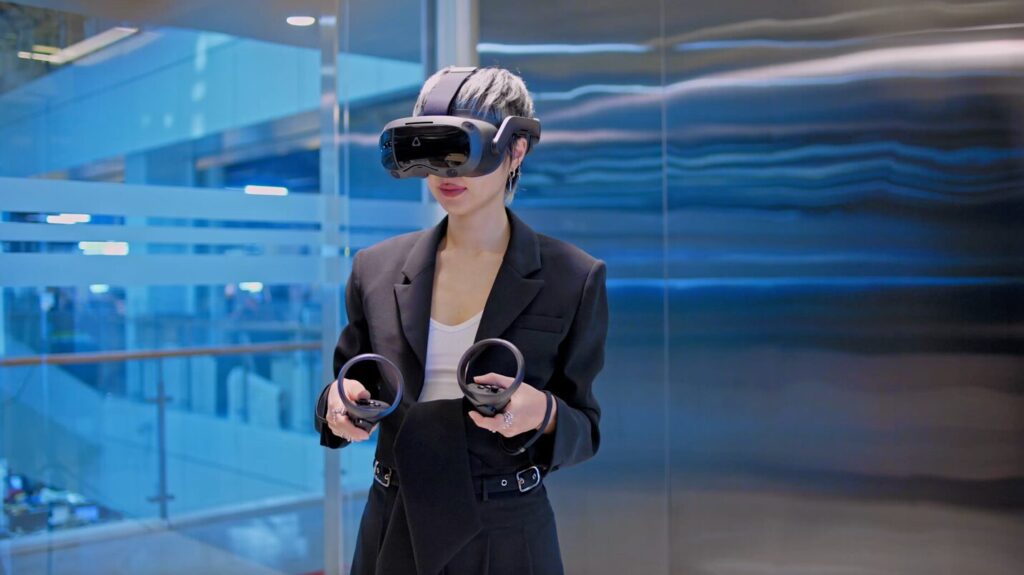
Types of Virtual Reality Headsets
Not all VR headsets work the same way. You can group them by where the processing happens and how they connect.
Tethered PC VR Headsets
These connect to a powerful PC with a cable.
Pros:
- Best graphics and performance
- Access to large libraries like SteamVR and other PC platforms
- Flexible for sims, creative tools, and advanced games
Cons:
- Requires a gaming PC
- Cables limit movement
- Setup and drivers can be more complex
Examples:
- Valve Index
- HTC Vive Pro 2
- Some Windows Mixed Reality based devices
Console VR Headsets
These plug into a game console instead of a PC.
Pros:
- More predictable performance
- Cleaner setup than a PC
- Access to console exclusive titles
Cons:
- Tied to a specific console
- Limited to one ecosystem
Example:
- PlayStation VR2, which works only with PlayStation 5
Standalone VR Headsets
These run everything on the headset itself. No PC or console needed.
If you are mainly interested in cable free VR, you can dive deeper into this category in our standalone VR headsets guide.
Pros:
- Wireless freedom
- Easy setup
- Portable between rooms and locations
Cons:
- Less raw power than a high end PC
- Graphics quality below top PC VR
- Content tied heavily to the platform store
Examples:
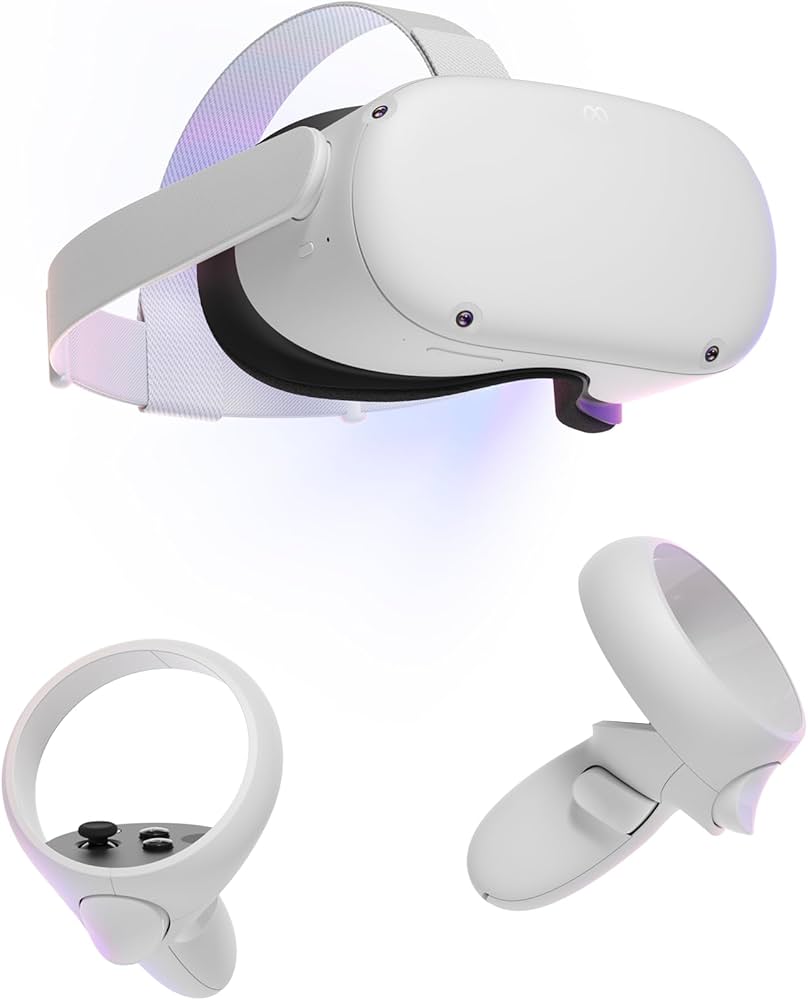
- Meta Quest 2 and Meta Quest 3
- Pico 4 and similar devices
Many standalone headsets can also act as PC VR headsets using a USB cable or fast Wi‑Fi streaming.
Smartphone Based Headsets (Legacy)
These held a smartphone inside a plastic or cardboard viewer.
Pros:
- Very cheap
- Easy to try basic VR concepts
Cons:
- Poor tracking
- Low immersion
- Mostly abandoned by big players
Devices like Google Cardboard and Samsung Gear VR popularized the idea but are no longer important paths into serious VR.
Mixed Reality And “XR” Headsets
These blurred lines between VR and AR. They use passthrough cameras to show the real world with virtual overlays.
Pros:
- Can switch between full VR and mixed reality
- Useful for work, design, and some games
- Often have advanced tracking, like eye and hand tracking
Cons:
- High price for advanced models
- Many use cases are still experimental
Examples:
- Apple Vision Pro
- Meta Quest Pro
- Some newer high end PC or enterprise headsets
A spec sheet can be overwhelming. Here are the specs that actually change your experience.
Resolution And Clarity
Resolution per eye matters. It affects:
Resolution affects how sharp text looks, how solid lines and textures appear, and how much you notice the pixel grid.
Higher resolution is good, but only if paired with decent lenses and enough processing power.
Field Of View
Field of view (FOV) tells you how much of your vision is filled. A wider FOV:
- Makes the world feel less like looking through binoculars
- Helps immersion
- Can make edges more forgiving
Many consumer headsets sit around 100 to 120 degrees. More feels nice, but other tradeoffs like weight and lens complexity come into play.
Refresh Rate And Latency
Higher refresh rates give smoother motion.
- At least 90 Hz is a safe baseline
- 120 Hz and above can feel even better for some users
Low latency between movement and image update is critical. When tracking and rendering lag, you feel discomfort and sometimes motion sickness.
Tracking System
Most new headsets use inside out tracking. Older or high end PC sets may still use base stations.
Inside out:
- Easier to set up
- No extra hardware in your room
Base station systems:
- Very precise when configured well
- Better for full room tracking with many objects
For most home users, inside out tracking is fine.
Comfort And Fit
Comfort can make or break VR, especially if you plan long sessions.
Look at:
- Weight and how it is balanced
- Strap design and padding
- Adjustability for different head sizes and interpupillary distance (IPD)
You want the headset to feel snug but not crushing. Too tight causes headaches. Too loose creates blur.
Controllers And Input
Modern controllers track:
- Position and rotation
- Button presses and thumbstick movement
- Grip strength and finger positions on more advanced systems
Hand tracking is improving. It works well for menus and some casual games. For precise actions, controllers are still more reliable.
Content Library And Platform
Ask:
- Does this headset run the games and apps I actually care about
- Is the platform well supported
- Does it allow PC VR linking if I want that option later
The major ecosystems now are:
- SteamVR and PC VR platforms
- PlayStation Store for PSVR2
- Meta Quest Store
- Pico Store in supported regions
Top VR Headsets To Know In The 2020s
Here is a simplified view of a few key options. Details and prices shift, but the positioning is stable.
Entry And Mid Range
These are good starting points.
- Meta Quest 2
- Standalone
- Solid resolution and big game library
- Often discounted as newer models release
- Pico 4
- Standalone
- High resolution per eye, lightweight design
- Popular in regions where Pico sells widely
These are good if you want:
- Simple setup
- No PC requirement
- Reasonable price for first VR
High End Standalone And Mixed Reality
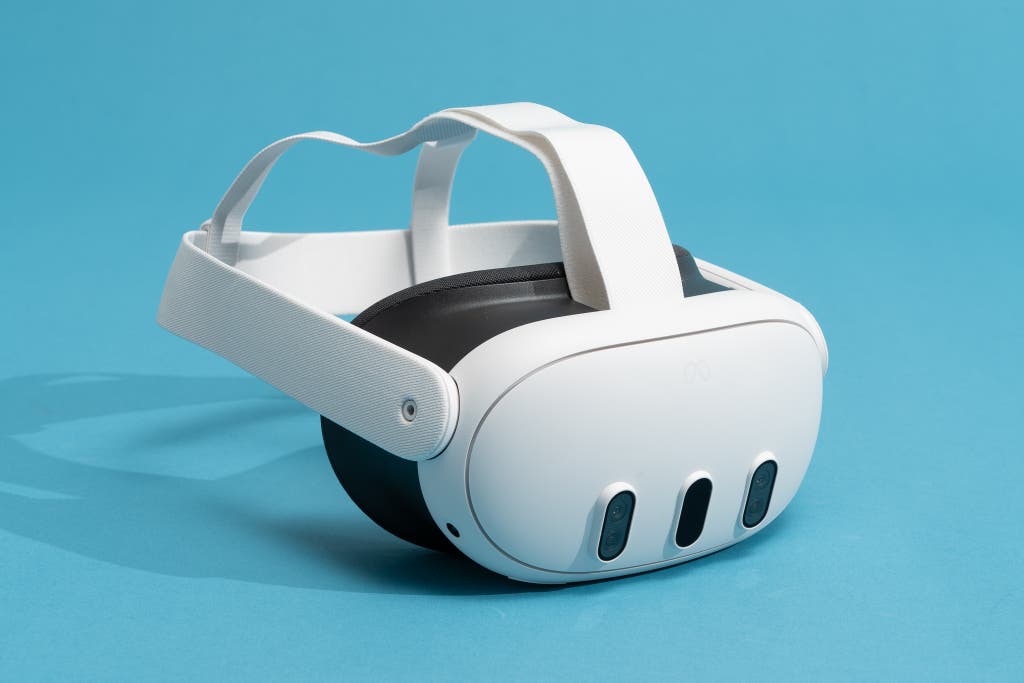
- Meta Quest 3
- Standalone with better resolution and mixed reality passthrough than Quest 2
- Uses a more powerful XR chip
- Good balance of price and performance
- Apple Vision Pro
- Very high resolution micro‑OLED displays
- Strong eye and hand tracking
- Focus on mixed reality and productivity more than pure gaming
- Expensive and aimed at early adopters and professionals
For current details and pricing, see the Apple Vision Pro product page.
PC And Console Focused
- Valve Index
- PC tethered
- High refresh rate up to 144 Hz
- Wide FOV around 130 degrees
- Excellent tracking with base stations
- Great for SIM and PC enthusiasts
- HTC Vive Pro 2
- PC tethered
- Very high resolution per eye
- Strong tracking with external base stations
- More complex to set up, often used by pros and arcades
- PlayStation VR2
- Console tethered to PS5
- High-quality OLED HDR displays per eye
- Strong haptics and controller features
- Access to console exclusives and well tuned experiences
You can learn more about PlayStation VR2 on the official PlayStation VR2 site.
Choose based on whether:
The right type of headset depends on whether you own a powerful PC, a PlayStation 5, or prefer one unit that works on its own and can also connect to a PC later.
Setting Up A Safe VR Space
Even the best headset is unpleasant in a bad space.
Choosing The Area
You want:
- A clear area of at least 6 by 6 feet for room scale play
- No low tables or sharp furniture near your natural path
- No fragile items in swinging range
Moderate lighting helps inside out tracking without causing glare. Avoid direct sun on cameras and lenses.
Basic Accessories
Useful extras:
| Accessory | Why it helps |
|---|---|
| Headphones or earbuds | Better sound and less noise leak |
| Cable management | Keeps tethered headsets safer |
| Lens cleaning kit | Stops blur and protects coatings |
| Face covers or extra pads | Hygiene for shared use |
Good setup and a few cheap accessories make VR sessions smoother and safer.
What You Can Do With A VR Headset
Gaming started the push. Many other uses followed.
Gaming
VR gaming offers:
- First person immersion in action games
- Physical movement for rhythm and fitness titles
- New genres built around hand presence and room interaction
Well known examples include rhythm games, simulation racers, story driven titles, and social experiences where you meet others in virtual spaces.
For traditional flat screen gaming and chat outside VR, our gaming headsets guide covers audio options for PC and consoles.
Education And Training
VR helps people:
- Visit historical sites and landmarks
- Explore the human body or planet’s surfaces
- Practice tasks in safe, controlled simulations
Schools, universities, and training centers use VR for:
- Science labs that do not need real chemicals
- History field trips without travel
- Job training where mistakes carry a high real world risk
Healthcare
Healthcare applications include:
- Surgical training
- Exposure therapy for phobias and PTSD
- Pain distraction in some procedures
- Physical rehab with gamified movement
These are serious use cases, often built with clinicians, not just game developers.
Work And Collaboration
VR can support:
- Virtual meetings where you share 3D content
- Design reviews where teams walk around models of buildings or products
- Remote whiteboard and ideation sessions
This does not replace every meeting or tool, but it can be effective when 3D context matters.
Fitness And Well Being
Fitness apps use VR to:
- Turn workouts into games
- Guide you through boxing, dancing, or cardio routines
- Track calories and movement
Combined with wearable health monitors, VR sessions can fold into a broader fitness plan.
Media And Live Events
VR lets you:
- Watch 2D movies in virtual theaters
- View 360 degree documentaries
- Attend live sports or concerts with virtual seats
It will not replace being there in person, but it is closer than a flat screen on a wall.
To capture your own point‑of‑view content outside VR, see our guide to the best wearable cameras.
Social VR
VR is not only you and a game.
Social platforms inside VR let you:
- Join public virtual rooms and worlds
- Talk with friends and strangers
- Play mini games
- Attend events or just hang out
These spaces can be fun and creative. They can also inherit the same moderation challenges as any online platform.
Used with care, they are an interesting new way to connect.
Challenges And Risks
It is not all magic. VR comes with downsides.
Motion Sickness
Some users feel:
- Nausea
- Dizziness
- Discomfort
This happens when what your eyes see and what your inner ear senses do not match.
Mitigation tips:
- Start with short sessions
- Use comfort settings for movement (teleport instead of smooth walking)
- Aim for headsets and games that run at high, stable frame rates
People vary. Some adapt. Some never do.
Eye Strain And Fatigue
VR asks your eyes to focus at a fixed screen distance while converging on virtual objects at different depths. That can be tiring.
Good habits:
- Take regular breaks
- Do not force through discomfort
- Keep lenses clean and IPD adjusted correctly
For children, most companies set minimum ages. Check those guidelines and pediatric advice.
Privacy And Data
VR headsets can collect:
- Movement and posture data
- Gaze direction
- Voice data for chat
- Room layout information
Risks:
- Data misuse by companies or third parties
- Security breaches
- Targeted ads based on behavior inside VR
Users should:
- Review privacy settings
- Use strong, unique passwords
- Be careful which apps are granted full permissions
As eye tracking, face tracking, and biometrics expand, privacy questions will only get sharper.
The Future Of VR Headsets
The next wave of VR will not feel like a simple spec bump. Several technologies are converging.
Likely trends:
- Higher resolution micro‑OLED displays to shrink pixels and boost contrast
- More advanced eye tracking with foveated rendering so headsets draw full detail only where you are looking
- Better hand tracking and haptic feedback for richer interaction
- Lighter headsets with better weight balance
- More mixed reality, where VR and AR blend into one continuum
Industries beyond gaming will keep testing VR for:
- Surgery planning and training
- Remote inspections and field work
- Architecture and engineering reviews
- Group learning and simulations
The core idea is stable. Screens and sensors in front of your eyes. The execution will get more refined.
FAQ About Virtual Reality Headsets
What is a VR headset?
It is a device you wear on your head that shows each eye a slightly different image and tracks your movements so you feel present in a virtual 3D environment.
Do I need a powerful PC for VR?
Only for PC VR headsets. Standalone headsets run everything on the unit. Console headsets use the console. PC VR requires a machine with a decent graphics card and CPU.
Are VR headsets safe for my eyes?
Short, moderate use appears safe for most people, but long continuous sessions can cause eye strain and fatigue. Following break recommendations and using comfort settings is sensible. If you have eye conditions, talk to an eye specialist.
Can I use VR only for gaming?
No. VR is used for education, training, design, fitness, virtual meetings, and more. Gaming is the most visible use, but not the only one.
How much space do I need for VR?
For seated or standing experiences, a small, clear area is enough. For room-scale movement, many platforms suggest at least 6 by 6 feet of clear space.
Conclusion
VR headsets are no longer just science fiction or expensive toys. They are practical tools for:
- Deep gaming experiences
- Learning and training
- Design and visualization
- Social interaction and fitness
The right headset for you depends on:
- Whether you own a strong PC or console
- How much do you want to spend
- How much do you value wireless freedom
- Whether you care more about games, work, or both
If you are curious, a good standalone headset like Meta Quest 3 or a console headset like PlayStation VR2 is often the easiest way to start. If you already have a gaming PC and want maximum quality, a solid PC VR headset may make more sense.
Used with some care and clear expectations, VR headsets can change how you play, learn, and work, not just how you watch a screen.

A passionate tech blogger and the founder of Best Tech View, a dynamic platform dedicated to all things technology. With a keen interest in the tech, Ahmad strives to provide insightful and engaging content on the latest tech trends, and breakthroughs.