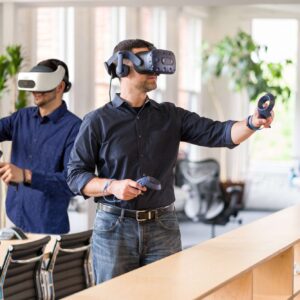


Standalone VR headsets run everything on the headset itself. You do not need a PC, a console, or a phone. Put one on, pick a game or app, and you are inside a virtual space within seconds.
They pack a processor, graphics chip, memory, storage, tracking cameras, and a display into a single unit you wear on your head. That is why they have become the easiest way to try virtual reality.
This guide walks through:
- What standalone VR is
- How it evolved
- Key features that actually matter
- The main headsets you should know about
- Strengths, weaknesses, and future trends
For a broader look at all VR categories, including PC and console headsets, see our guide to the best VR headsets.
If you want VR without building a PC or wrestling with cables, this is the category that matters.
What Is Standalone VR
A standalone VR headset is a self‑contained device. It has:
- Its own CPU and GPU
- Integrated display panels
- Built in tracking cameras and sensors
- A battery and storage
You do not plug it into a PC or console for everyday use, and you do not slide a phone into it either. Instead, you download apps and games directly to the headset, connect to Wi‑Fi, and use motion controllers or hand tracking to interact.
Examples include:
- Meta Quest 3
- Meta Quest 3S
- Pico 4 and its newer variants
- HTC Vive Focus series and Vive XR Elite
Some of these can still connect to a PC for higher end PC VR, but they do not need that connection to run most content.
How We Got Here: A Short History
VR did not start with sleek headsets you toss in a backpack. Early systems were:
- Bulky
- Tethered to powerful PCs
- Expensive
- Limited to labs, arcades, or hardcore hobbyists
A few key devices pushed VR toward the standalone format.
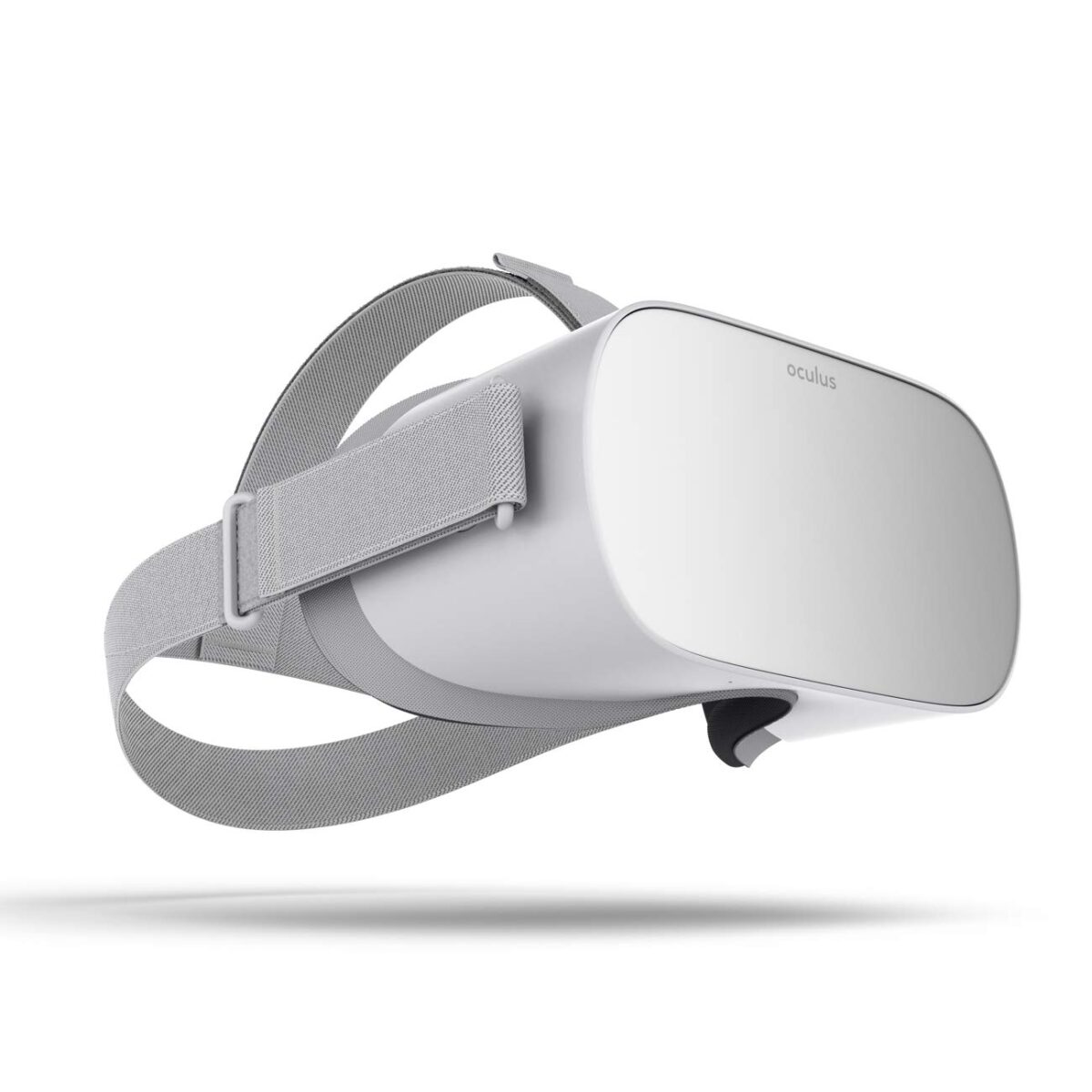
- Oculus Go (2018)
- One of the first consumer standalone headsets.
- Basic tracking and limited power, but it proved the concept.
- Oculus Quest, later Meta Quest (2019)
- Introduced full six‑degree‑of‑freedom tracking in a standalone headset.
- You could walk, duck, and reach in space without external sensors.
- Meta Quest 2 (2020)
- Lighter, cheaper, faster.
- A big library, aggressive pricing, and simple setup finally pushed standalone VR into the mainstream.
- Pico Neo 3 and Pico 4 (2021–2022)
- Brought credible competition, especially in Europe and parts of Asia.
- Focused on comfort with slim designs and pancake lenses.
- Meta Quest Pro and later mixed reality‑focused headsets
- Added face and eye tracking, color passthrough, and more business features.
- Showed that VR and AR were beginning to blend.
Since then, Meta, ByteDance (Pico), HTC, and others have poured huge budgets into making standalone VR more powerful, more comfortable, and more useful in real work.
Core Features To Look For In Standalone VR
When you compare standalone VR headsets, focus on a few key areas that change the experience.
Wireless Freedom
This is the main reason to pick a standalone headset. No cable to the PC. No external sensors sitting on a shelf.
You can:
- Walk around
- Turn freely
- Use it in different rooms
It makes fitness apps, room scale games, and social VR feel more natural.
Built-In Processing Power
Standalone headsets carry their own CPU and GPU. Performance depends on:
- The chip generation, such as the Snapdragon XR2 variants
- Amount of RAM
- Cooling design and power limits
Newer models can run complex games, mixed reality experiences, and productivity apps without needing a desktop graphics card.
You do trade away some peak performance compared to a high end PC. The question is whether you need that extra power for what you do.
Visual Quality
Three display specs matter most:
- Resolution per eye
- Higher resolution means sharper text and less screen door effect.
- Field of view (FOV)
- Roughly, how much of your vision is filled?
- A wider FOV makes things feel more natural.
- Refresh rate
- Higher rates, such as 90 or 120 Hz, give smoother motion and can reduce motion sickness.
Lens type also affects clarity. Many newer headsets use pancake lenses, which are slimmer and clearer toward the edges than older Fresnel designs.
Tracking And Interaction
Modern standalone headsets use inside‑out tracking. Cameras on the headset track:
- Your head position and rotation
- The position of your controllers
Key points:
- No external base stations to mount
- Room setup is quick
- Positional accuracy has improved a lot since early models
Some headsets support hand tracking. That lets you use your bare hands for basic interactions. It can feel natural in menus and some apps, but controllers are still better for many games.
App And Game Ecosystem
Hardware does not matter if there is nothing to do with it.
The two main consumer ecosystems today are:
- Meta Quest Store
- Pico Store
You also have:
- SteamVR and other PC VR platforms, when you link a compatible standalone to a PC
- Viveport and enterprise‑focused content for some HTC devices
Questions to ask:
- Does this platform have the games and apps I care about
- How often are new titles released
- Do major developers support it, or is it mostly demos and small projects
Credit: www.amazon.com
Top Standalone VR Headsets In 2026
Details change as models update, but here is a snapshot of the main standalone players you mentioned.
Meta Quest 3
- Resolution: roughly 2,064 by 2,208 per eye
- Refresh rate: 90 to 120 Hz
- Processor: Snapdragon XR2 Gen 2 with 8 GB RAM
- Weight: around 515 g
- Works standalone, with optional PC connection through Link or Air Link
Why it stands out:
- Strong overall package for the price
- Good mixed reality passthrough
- Large content library
- Often considered the default choice for general consumers
You can see the current specs and details on the official Meta Quest 3 product page.
Meta Quest 3S
- Resolution: roughly 1,800 by 1,920 per eye
- Refresh rate: 90 to 120 Hz
- Processor: Snapdragon XR2 Gen 2 with 8 GB RAM
- Lower price point than Quest 3
Why it stands out:
- Delivers much of the Quest 3 experience at a lower cost
- Good fit for budget focused users in 2026 who want into the Meta ecosystem
Pico 4 Ultra
- Resolution: about 2,160 by 2,160 per eye
- Processor: Snapdragon XR2 Gen 2 with 12 GB RAM
- Uses pancake lenses and a slim form factor
Why it stands out:
- Competitive specs
- Comfort focused design
- Popular in regions where Pico has strong distribution, especially parts of Europe and Asia
For more information in your region, check the official Pico XR website.
HTC Vive Focus Vision / XR Elite Tier
- High resolution LCD display
- Refresh around 90 Hz
- Features can include eye tracking, color passthrough, auto IPD, and swappable batteries
- Often supports both standalone use and PC VR via cable or add‑ons
Why it stands out:
- Aimed at both enterprise and advanced consumers
- Strong tracking and mixed reality features
- Priced higher, so more of a specialist device than a mass market one
You can see the latest specs and business features on the official HTC Vive Focus product page.
Simple Comparison Table
| Headset | Resolution (per eye) | Refresh rate | Platform | Typical starting price (approximate) | What it focuses on |
|---|---|---|---|---|---|
| Meta Quest 3 | ~2,064 × 2,208 | 90–120 Hz | Standalone / PC VR | US $499 and up | Best overall balance |
| Meta Quest 3S | ~1,800 × 1,920 | 90–120 Hz | Standalone | US $299 and up | Best value entry |
| Pico 4 Ultra | ~2,160 × 2,160 | Around 90 Hz | Standalone | Around €549 | Strong specs and comfort |
| Vive Focus class | High resolution LCD | Around 90 Hz | Standalone / PC VR | Around US $1,000 | Enterprise and advanced consumer use |
Exact prices drift over time, but the positioning usually stays similar.
Gaming On Standalone VR
Standalone VR headsets changed VR gaming by removing the PC requirement. You put one on, grab the controllers, and you are in.
Enhanced Graphics And Performance
Newer standalone devices offer:
- High resolution panels that make text and textures clearer
- Refresh rates of 90 Hz or more for smoother motion
- Efficient chips tuned for VR workloads
You will not match a top tier PC with a powerful graphics card, but you get strong visuals for the hardware you wear.
Interactive Gameplay
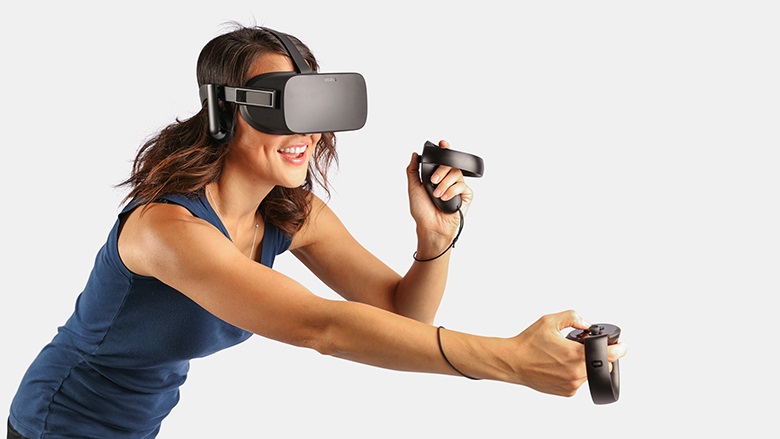
Standalone VR controllers include:
- Motion tracking
- Buttons
- Thumbsticks or touchpads
- Haptics
You swing swords, grab objects, shoot bows, or paint in 3D. Many platforms now also support hand tracking, so you can:
- Point
- Pinch
- Swipe
without holding anything in your hand. It does not replace controllers completely, but it adds new options.
Popular Games
Standalone platforms host many of the VR titles people talk about most:
- Beat Saber
- Superhot VR
- Vader Immortal
- The Climb and similar sports titles
- Rec Room and other social hubs
The library ranges from rhythm games to shooters, puzzle games, fitness apps, and narrative adventures.
Beyond Gaming: Work, Education, And Training
Standalone VR is not only for games.
Examples of non gaming uses:
- Virtual classrooms and training simulations
- Guided science and history experiences
- Remote collaboration and meetings in virtual spaces
- Public speaking and soft skills practice
- Medical and technical procedure training
Platforms such as Engage, VictoryXR, and other education or enterprise tools use standalone headsets because:
- You can ship a headset to someone and know it will work without a PC
- Setup is simple for non technical users
- Updates can be managed over networks
This side of VR is quieter than gaming in public conversation, but it is growing.
Credit: arstechnica.com
Advantages Over Tethered VR
Why pick a standalone device instead of a cabled PC headset
Portability
You can:
- Take the headset to a friend’s house
- Use it in different rooms
- Bring it to school or work for demos
All you need is power and Wi‑Fi. No desktop tower, no heavy laptop, no external base stations.
Ease Of Use
Setup is simple:
- Create an account
- Connect Wi‑Fi
- Draw your play area once
After that, you put on the headset and go. You avoid driver juggling, strange Windows issues, and GPU compatibility problems.
This makes standalone VR more approachable for kids, families, and people who do not want to manage a gaming PC.
Lower Total Cost For Many Users
A solid gaming PC plus a PC VR headset costs far more than a single standalone headset.
If you already own a strong PC and care about maximum graphics, PC VR still has a place. If you just want good VR, a standalone device often gives the best value.
Challenges And Limitations
Standalone VR is not perfect. There are clear downsides.
Battery Life
Most standalone headsets offer a few hours of active use per charge.
Rough ranges:
- Around 2 to 3 hours of intensive gaming
- Some devices offer hot swappable batteries or battery straps
- External power banks can extend sessions
For most people, this is enough for a single session, but you cannot expect all day use without breaks or extra power.
Limited Processing Power
Compared to a high end PC:
- Graphics are less complex
- Draw distances can be shorter
- Effects may be simplified
Developers spend a lot of effort optimizing for these chips. Many games still look very good, but if you come from top tier PC graphics you will notice the gap.
Comfort And Fit
A standalone VR headset carries:
- The display
- The optics
- The battery
- The processing hardware
All on your head. Comfort varies a lot by model and by person. You need to consider:
- Weight distribution
- Strap design
- Face padding
Poor comfort turns even the best visuals into something you do not want to wear for long.
Content And Lock In
Most content libraries are tied to company specific stores. If you buy many games on one platform, moving to another means losing easy access to that library.
You should choose a platform you trust to support its hardware for several years.
Where Standalone VR Is Headed
The direction is clear. More power, better displays, and tighter integration with real world spaces.
Trends include:
- Higher resolution displays and better lenses
- More advanced inside‑out tracking with better hand tracking
- Stronger chips designed specifically for XR
- Better mixed reality passthrough for blending virtual and physical content
- Wider use in training, education, design, and collaboration
Prices tend to move in two directions at once:
- Premium devices with more features at the high end
- More affordable mid‑range models that bring solid VR to more people
As long as developers keep building strong content libraries, standalone VR will grow well beyond its early gaming focus.
Frequently Asked Questions About Standalone VR Headsets
Is there a true standalone VR headset
Yes. Devices like Meta Quest 3, Meta Quest 2, Pico 4 series, and several Vive Focus models are full standalone headsets. They run VR apps and games without a PC or console.
Which VR headset can I use without a computer?
Any modern standalone device works without a computer. Examples include Meta Quest 3 and Quest 3S. You turn them on, connect to Wi‑Fi, and use the built in store.
Do I need a console for standalone VR?
No. Standalone headsets do not require an Xbox, PlayStation, or other console. Everything runs on the headset.
Can a standalone VR headset also work with a PC?
Many can. Devices like Meta Quest 3 support PC VR through a USB cable or Wi‑Fi streaming. That lets you play PC VR titles while still having standalone use.
How long does the battery last on a standalone VR headset?
Typical gaming sessions last about 2 to 3 hours per full charge, depending on the headset and the app. Some models support extra battery straps or swappable batteries to extend that.
Is Meta Quest 2 or 3 still worth it if I already own a console?
If you like the idea of full-body movement and being inside the game world, a standalone VR headset offers something consoles alone cannot give. If you only play flat games and do not care about VR, you may not need one.
Conclusion
Standalone VR headsets turned virtual reality into something you can use wherever you have a little space and a Wi‑Fi connection. No expensive PC. No cables on the floor.
They give you:
- Wireless movement
- Reasonable graphics for the form factor
- Big libraries of games, fitness apps, and learning tools
They also come with limits in battery life, comfort, and raw performance. For many people, those tradeoffs are worth it for the convenience and freedom they get back.
If you want to try VR without rebuilding your whole setup, a standalone headset is the simplest and most practical way to start.

A passionate tech blogger and the founder of Best Tech View, a dynamic platform dedicated to all things technology. With a keen interest in the tech, Ahmad strives to provide insightful and engaging content on the latest tech trends, and breakthroughs.