

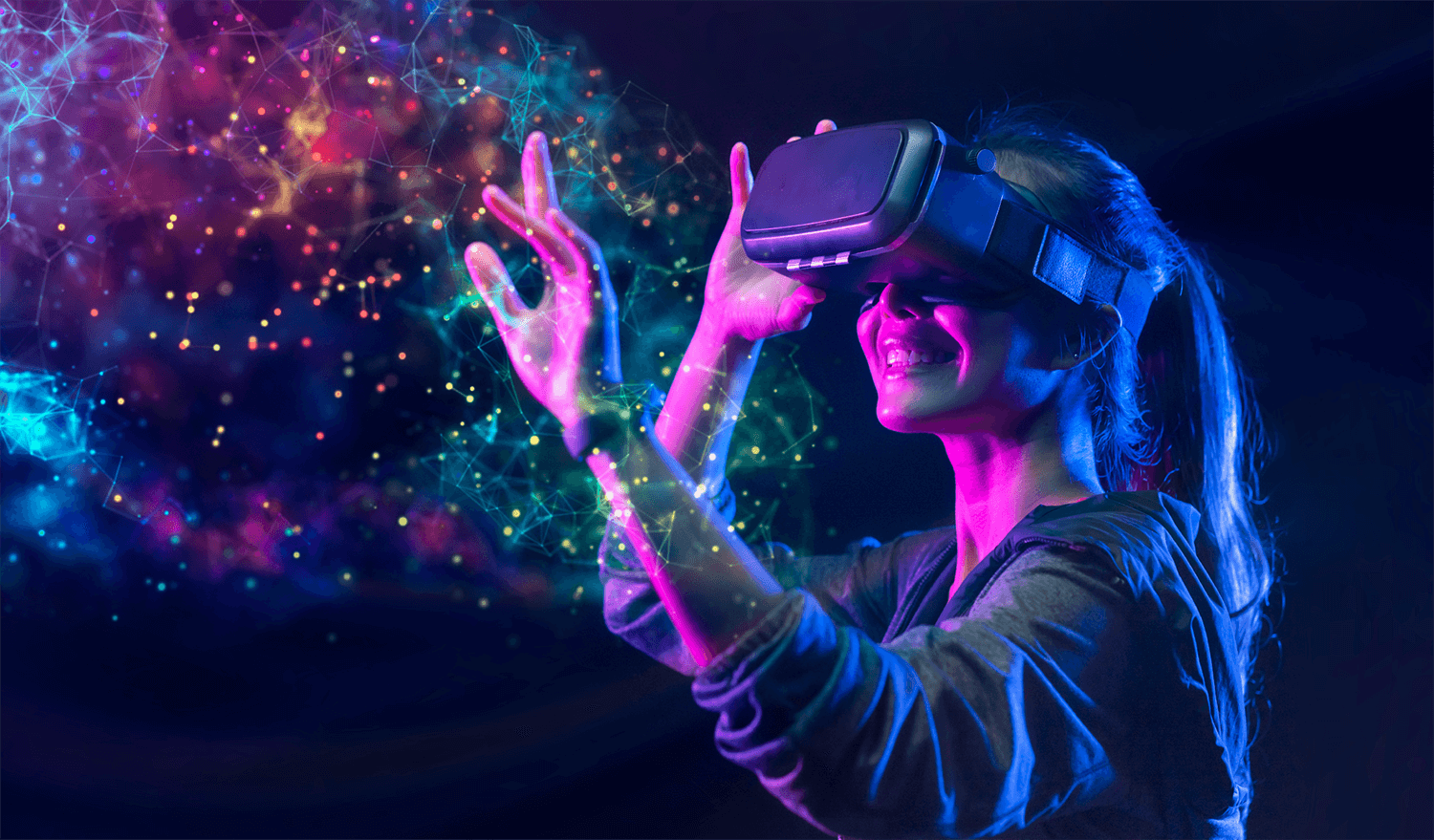
VR Headsets for Creative Design are changing how artists and designers shape ideas. Have you imagined sketching a full 3D world with your hands and walking around it in real time? This shift feels exciting for anyone who creates visually driven work.
Virtual Reality (VR) headsets have transformed the landscape of creative design. These devices offer an unparalleled immersive experience, allowing designers to step inside their creations.
Today’s article breaks down how devices like the Meta Quest lineup, Apple Vision Pro, and HTC Vive XR Elite push creative boundaries. These headsets offer precise spatial tools, powerful rendering options, and intuitive controls. Leading designers such as Sabine Yu, known for her VR-driven architectural models, call these tools “the closest thing to thinking in 3D.”
But those examples only scratch the surface of what modern VR design workflows can achieve. A whole ecosystem of tools and innovations waits to be explored. So, let’s dive into the creative frontier and uncover how VR headsets reshape the way designers imagine and build.
Introduction To VR in Design
Virtual Reality (VR) is changing the world of design. VR offers new ways to create and visualize. It helps designers bring ideas to life in 3D spaces. This technology is now a key tool in the design process.
Revolutionizing Creativity
VR is revolutionizing creativity in design. Traditional tools limit what designers can do. VR breaks these limits and opens new possibilities.
Here are some ways VR is changing design:
- Immersive Environments: Designers can work in a 3D space.
- Better Prototyping: Create and test ideas quickly.
- Collaboration: Teams can work together in VR, no matter where they are.
Why Designers Love VR
Many designers love VR. It makes their work easier and more fun. Below are reasons why:
| Reason | Description |
|---|---|
| Enhanced Creativity | VR allows for more creative freedom and exploration. |
| Real-Time Editing | Changes can be made instantly in a VR environment. |
| Improved Visualization | Designs can be viewed from all angles and perspectives. |
VR headsets are powerful tools for designers. They help bring ideas to life. Designers can create, test, and refine their work in new ways.
Top VR Headsets For Designers in 2025
Virtual Reality (VR) has transformed how designers work, visualize, and create. Instead of imagining concepts on a screen, designers can step directly into their virtual creations, manipulate scale, and explore immersive environments.
Choosing the right headset makes the creative process more intuitive, efficient, and impactful. Let’s explore the top VR (and MR) headsets for designers in 2025, their key specs, and what makes them unique.
Meta Quest 3
(Original brand/model: Oculus Rift → Oculus Quest 2 → Meta Quest 3)
The Meta Quest 3 is Meta’s flagship all-in-one headset and a strong choice for designers thanks to its high-resolution displays, powerful processor, and mixed reality pass-through for working with both physical and digital spaces.
- Resolution: 2064 × 2208 pixels per eye
- Field of View: ~110°
- Refresh Rate: 90 / 120 Hz
- Price: $499 (128 GB), $649 (512 GB)
Its wireless setup makes it perfect for independent designers or studios without tethered PC setups. Apps like Gravity Sketch, Tilt Brush, Adobe Substance 3D Modeler, and ShapesXR thrive on this platform.
HTC Vive XR Elite
(Original brand/model: HTC Vive → Vive Pro → XR Elite)
The Vive XR Elite offers a slim design, strong visuals, and versatility. Its tracking precision and support for both VR and mixed reality workflows make it an ideal option for industrial and design applications.
- Resolution: 1920 × 1920 pixels per eye
- Field of View: ~110°
- Refresh Rate: 90 Hz
- Price: $1,099
The Vive ecosystem, filled with CAD, architectural visualization (ArchViz), and prototyping apps, helps professionals push boundaries in design.
Sony PlayStation VR2
(Original brand/model: PlayStation VR → PS VR2)
While primarily a gaming headset, the PlayStation VR2 is useful for designers experimenting with immersive 3D content for entertainment and interactive design prototyping. It boasts OLED HDR panels and advanced eye-tracking.
- Resolution: 2000 × 2040 pixels per eye
- Field of View: ~110°
- Refresh Rate: 90 / 120 Hz
- Price: $549
It integrates seamlessly with PlayStation 5 and supports VR art and interactive software experiences available through its ecosystem.
Apple Vision Pro
(Original brand/model: First-generation device, launched 2024)
The Apple Vision Pro is a groundbreaking mixed reality headset blending VR and AR, ideal for designers working within Apple’s ecosystem. It provides unmatched detail with ultra-high resolution micro‑OLED displays, perfect for reviewing prototypes in life-like clarity.
- Resolution: ~3660 × 3200 pixels per eye
- Field of View: ~100°
- Refresh Rate: 90 Hz (up to 100 Hz)
- Price: $3,499
Designers working in AR environment prototyping, spatial UX/UI, and product concept visualization will find Apple’s ecosystem (plus Siri and iOS integration) particularly powerful.
HP Reverb G2 Omnicept Edition
(Original brand/model: HP Reverb G1)
The HP Reverb G2 Omnicept combines extremely high clarity visuals with biometric sensors (eye-tracking, heart rate). It’s tethered to a PC, making it ideal for professional CAD, architecture, and simulation design workflows.
- Resolution: 2160 × 2160 pixels per eye
- Field of View: ~114°
- Refresh Rate: 90 Hz
- Price: ~$1,250
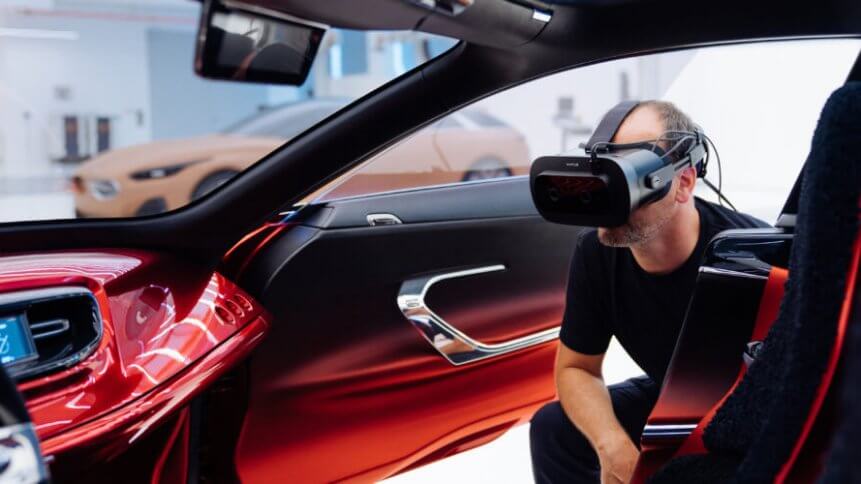
It is widely used by designers in automotive, aerospace, and product prototyping requiring intricate, precise details.
Quick Comparison Table
| VR Headset | Resolution (per eye) | Field of View | Refresh Rate | Price (USD) |
|---|---|---|---|---|
| Meta Quest 3 | 2064 × 2208 | ~110° | 90 / 120 Hz | $499–$649 |
| HTC Vive XR Elite | 1920 × 1920 | ~110° | 90 Hz | $1,099 |
| Sony PlayStation VR2 | 2000 × 2040 | ~110° | 90 / 120 Hz | $549 |
| Apple Vision Pro | ~3660 × 3200 | ~100° | 90–100 Hz | $3,499 |
| HP Reverb G2 Omnicept | 2160 × 2160 | ~114° | 90 Hz | ~$1,250 |
Summary
Selecting the best VR headset depends on your design needs:
- Best All-Around for Designers: Meta Quest 3 (excellent mix of freedom + software ecosystem).
- Most Professional/Industrial Use: HTC Vive XR Elite and HP Reverb G2 Omnicept (precision + enterprise support).
- Most Immersive High-End Experience: Apple Vision Pro (premium detail and AR/VR hybrid workflows).
- Accessible Option for Console Designers: Sony PS VR2 (affordable, smooth design prototyping).
With these tools, designers can sculpt in 3D, build immersive environments, and refine product concepts in ways that 2D screens can’t match. VR isn’t just enhancing design—it’s becoming a workspace of the future.
Software For VR Design
Virtual Reality (VR) headsets are changing creative design. Software tools enable you to create stunning designs in 3D. These tools are user-friendly and powerful. Designers can work directly in a virtual space.
3d Modeling Tools
3D modeling tools are essential for VR design. They allow you to build complex structures. Many tools offer intuitive interfaces. Here are some popular options:
| Tool | Key Features | Supported Platforms |
|---|---|---|
| Blender | Open-source, extensive libraries | Windows, Mac, Linux |
| Autodesk Maya | Professional-grade animation tools | Windows, Mac |
| SketchUp | User-friendly, VR support | Windows, Mac |
VR Sketching Apps
VR sketching apps let you draw in a virtual space. These apps offer an immersive experience. They help you visualize your ideas better. Here are some top VR sketching apps:
- Google Tilt Brush – Paint in 3D space, intuitive controls.
- Gravity Sketch – Collaborative design, export options.
- Quill by Story Studio – Animation support, detailed sketches.
Using these tools, designers can push creative boundaries. VR headsets and software bring your visions to life.
Credit: www.smu.edu
Benefits Of VR in Creative Work
Virtual Reality (VR) headsets are changing how designers work. These devices offer unique benefits for creative projects. Let’s explore how VR can help improve your design process.
Enhanced Visualization
VR headsets provide a new level of visualization. Designers can see their projects in 3D. This makes it easier to spot mistakes and make changes. The immersive experience helps understand the design better.
Enhanced visualization allows for more accurate planning. Designers can walk through their designs. This helps them to feel the space and scale of their work. This leads to more realistic outcomes.
Interactive Prototyping
Interactive prototyping with VR headsets is a game-changer. Designers can create prototypes quickly. This allows for faster testing and feedback.
VR enables hands-on interaction with designs. You can manipulate objects and elements within the virtual space. This leads to better understanding and improvements.
| Benefit | Description |
|---|---|
| Enhanced Visualization | See projects in 3D and spot mistakes easily. |
| Interactive Prototyping | Create and test prototypes quickly. |
VR headsets make designing more fun and efficient. They offer new ways to see and interact with designs. Embracing VR in creative work can lead to better results.
VR Design Workflow
Virtual Reality (VR) headsets are changing the creative design process. This new technology makes design work faster and more immersive. Let’s explore the VR design workflow, from concept to completion.
Concept To Completion
Designers start with a basic idea or concept. They use VR headsets to visualize this idea in a 3D space. This makes it easier to see how their designs will look in real life. VR tools let designers make changes quickly. This speeds up the design process.
Once the concept is clear, designers move to the next steps. They refine the design, adding details and textures. The VR environment helps them see every angle of their work. This ensures that the final product meets their vision.
| Step | Action |
|---|---|
| 1 | Initial Concept |
| 2 | 3D Visualization |
| 3 | Refinement |
| 4 | Final Touches |
Collaboration In Virtual Spaces
Collaboration is key in creative design. VR headsets allow designers to work together in virtual spaces. They can share their ideas and get feedback in real time. This makes the process more interactive and efficient.
In a VR environment, designers from different locations can work on the same project. They can see each other’s changes and discuss improvements. This level of collaboration is hard to achieve with traditional tools.
- Real-time feedback
- Interactive sessions
- Global collaboration
Credit: www.plugxr.com
Challenges And Limitations
Virtual Reality (VR) headsets are transforming creative design. But they come with their own set of challenges and limitations. These challenges can impact the adoption and effectiveness of VR in creative fields.
Technical Barriers
Using VR headsets involves overcoming several technical barriers. Designers need high-resolution displays. Low-resolution screens can blur fine details. Smooth performance demands powerful hardware. Lag or stuttering can disrupt the creative flow.
| Technical Barrier | Impact |
|---|---|
| Resolution | Low resolution can hinder detail work. |
| Latency | High latency can cause motion sickness. |
| Hardware Requirements | Powerful hardware is needed for smooth performance. |
Cost Considerations
Cost is a significant factor in adopting VR headsets. High-end VR headsets can be expensive. Budget options may lack necessary features. Creative professionals must balance cost and quality.
- High-end VR headsets: These can cost several hundred dollars.
- Mid-range options: Often lack advanced features needed for design.
- Budget headsets: May not provide a good experience.
Additional expenses include software licenses and hardware upgrades. This can make VR a costly investment for designers.
Future Of VR in Design
The future of VR in design looks bright and promising. Designers now use VR to create immersive experiences. This technology allows for real-time collaboration and enhanced visualization. The possibilities are endless.
Emerging Trends
Several trends are shaping the future of VR in design.
- Real-time Collaboration: Designers can work together in virtual spaces.
- Enhanced Visualization: VR provides a 3D view of designs.
- Accessibility: More affordable VR headsets are becoming available.
- Interactive Prototyping: Test designs in a virtual environment.
Potential Innovations
Innovations in VR will change the design landscape.
- AI Integration: AI can assist in creating smarter designs.
- Advanced Haptics: Feel textures and materials virtually.
- Higher Resolution: Clearer visuals enhance the design process.
- Wireless Technology: More freedom of movement for designers.
These trends and innovations point to an exciting future. As VR technology evolves, so will the tools designers use. The future of VR in design is full of potential.
Credit: techhq.com
Getting Started With VR Design
Virtual Reality (VR) is transforming the world of creative design. Whether you’re a seasoned designer or a beginner, VR can elevate your projects. This guide will help you get started with VR design, ensuring you have the right tools and knowledge to succeed.
Essential Equipment
To begin with VR design, you need specific equipment. Here’s a list of essentials:
- VR Headset: Provides an immersive experience.
- Controllers: Allow you to interact with your virtual environment.
- High-Performance Computer: Ensures smooth operation of VR applications.
- Design Software: Tools like Blender, Unity, or Tilt Brush.
| Equipment | Purpose |
|---|---|
| VR Headset | Immersive experience |
| Controllers | Interaction with VR |
| High-Performance Computer | Run VR applications |
| Design Software | Create and edit designs |
First Steps For Beginners
Starting with VR design can be exciting. Follow these steps:
- Research: Learn about VR technology and its applications in design.
- Choose Your Equipment: Select a VR headset and controllers that fit your budget.
- Set Up Your Space: Ensure you have a dedicated area for VR activities.
- Install Software: Download and install design software compatible with VR.
- Practice: Spend time exploring and experimenting with different tools and features.
Remember, practice makes perfect. The more you engage with VR design, the more skilled you will become.
Frequently Asked Questions
Which VR Headset Is Best For Developers?
The Meta Quest 2 is a top choice for developers. It offers affordability, ease of use, and wide compatibility.
Can You Design In VR?
Yes, we can design in VR. Our team creates immersive and interactive virtual reality experiences tailored to your needs.
Do VR Headsets Give A 3d Effect?
Yes, VR headsets provide a 3D effect by displaying two slightly different images to each eye. This creates depth perception.
What Is The Best VR Headset For Rendering?
The best VR headset for rendering is the Valve Index. It offers high resolution, excellent tracking, and a wide field of view.
Conclusion
VR headsets are revolutionizing creative design. They offer immersive experiences and enhance productivity. Designers can visualize projects better and innovate efficiently. Investing in VR technology can transform your creative process. Embrace VR headsets to stay ahead in the competitive design industry.
The future of creative design is here with VR.

A passionate tech blogger and the founder of Best Tech View, a dynamic platform dedicated to all things technology. With a keen interest in the tech, Ahmad strives to provide insightful and engaging content on the latest tech trends, and breakthroughs.
